38 SPECTROTEST —
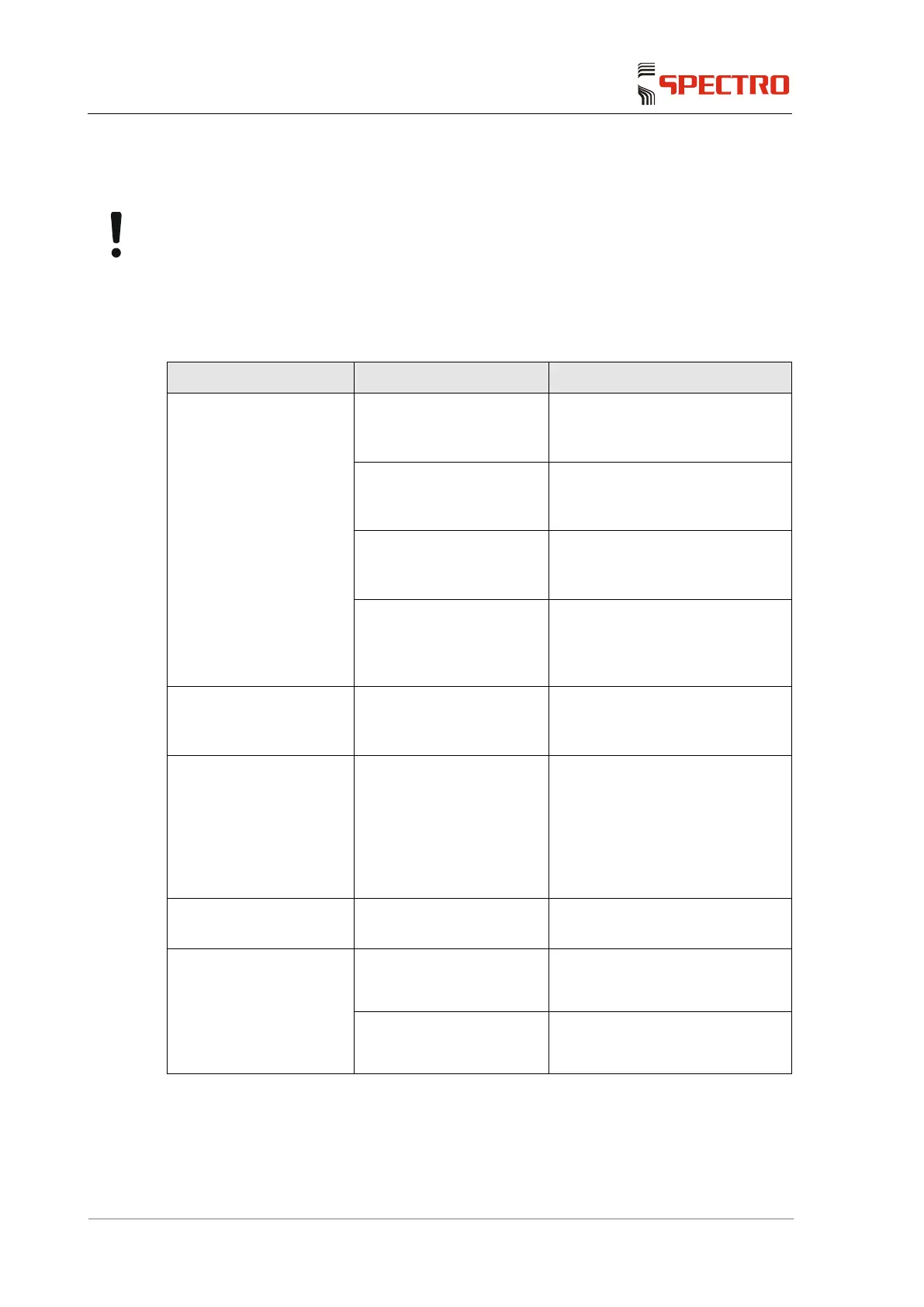
8 Troubleshooting
Notice! Damage to instrument!
Improperly performed repairs may damage the instrument.
Do not repair the instrument yourself. Always notify your immediate
supervisor or contact your Service Center.
Fault Possible cause Remedy
The unit cannot be
switched on
(The computer does not
boot)
The mains power supply
plug is not properly
plugged in.
Check if the mains power supply
plug was properly plugged in.
The battery does not have
proper contact with the
contact plate of the unit.
Check whether the drawer with
the storage battery is properly
seated.
The battery is not charged.
Charge the battery as described
in the separate instruction
manual.
A computer component or
another subassembly
connected with it is
defective.
Please contact your service
center.
The unit can be switched
on, but no data are
shown on the display.
Defective cable or display.
Please contact your service
center.
The software reacts
slowly (e.g. long
measuring times)
A virus scanner has been
installed.
Add the directory "C:\Spectro
Smart Studio\
Mobile" or the processes
"TXC03MeasurementGUI.exe"
and "TXC03MethDevGUI.exe" to
the exceptions that should not be
scanned.
The keyboard does not
react.
Defective cable or
keyboard.
Please contact your service
center.
The trackball does not
move freely and/or it
does not trigger any
movements on the
screen.
The trackball surface is
soiled.
Clean the trackball surface.
Defective cable or
trackball.
Please contact your service
center.



 To Next Page