Theory of Operation
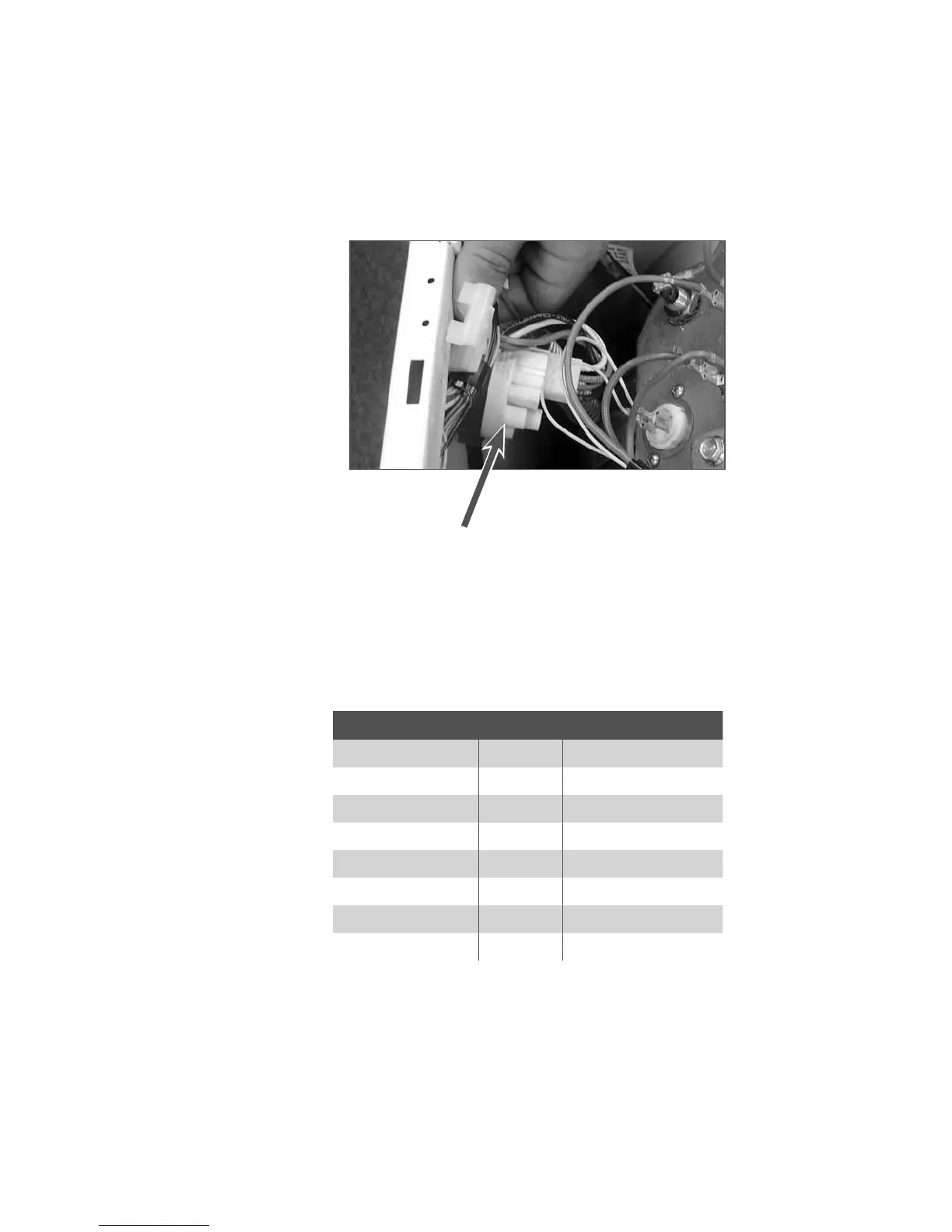
Pressure Switch
The pressure switch is located in the top, right-front corner of the washer. This switch senses the water
level in the drum. The control signal from the pressure switch is sent to the Module Board and is used to
determine the amount of water introduced into the drum during the wash cycle.
Pressure Switch
WASH TEMP Knob Position Wash Temp.*
HOT (Red) 1:30 140°F / 60° C
3 o’clock 131°F / 55° C
WARM (Grey) 4:30 122°F / 50° C
6 o’clock 104°F / 40° C
7:30 95°F / 35° C
COLD (Blue) 9 o’clock 86°F / 30° C
10:30 FROM COLD VALVE ONLY
12 o’clock FROM COLD VALVE ONLY
*NOTE: Actual wash water temperatures may vary depending on the
temperature set at the water heater. Rinse temperatures are ALWAYS COLD.



 To Next Page