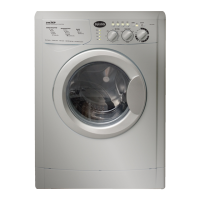
Accessing the Components
Removing the Drain Pump
With the Lower Panel removed and any residual water drained
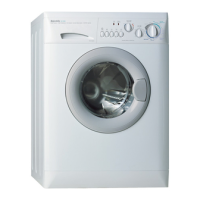
from the unit, gently tip the washer onto its’ left side.
Remove the 4 screws that secure the sheet metal cover to the bot-
tom of the washer. (Below) Remove the metal cover.
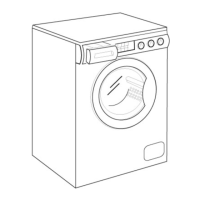
Remove the two screws that secure the pump to the cabinet. (Fig.
4-23) Rotate the pump clockwise from inside the unit and then
pull to remove it from the cabinet.
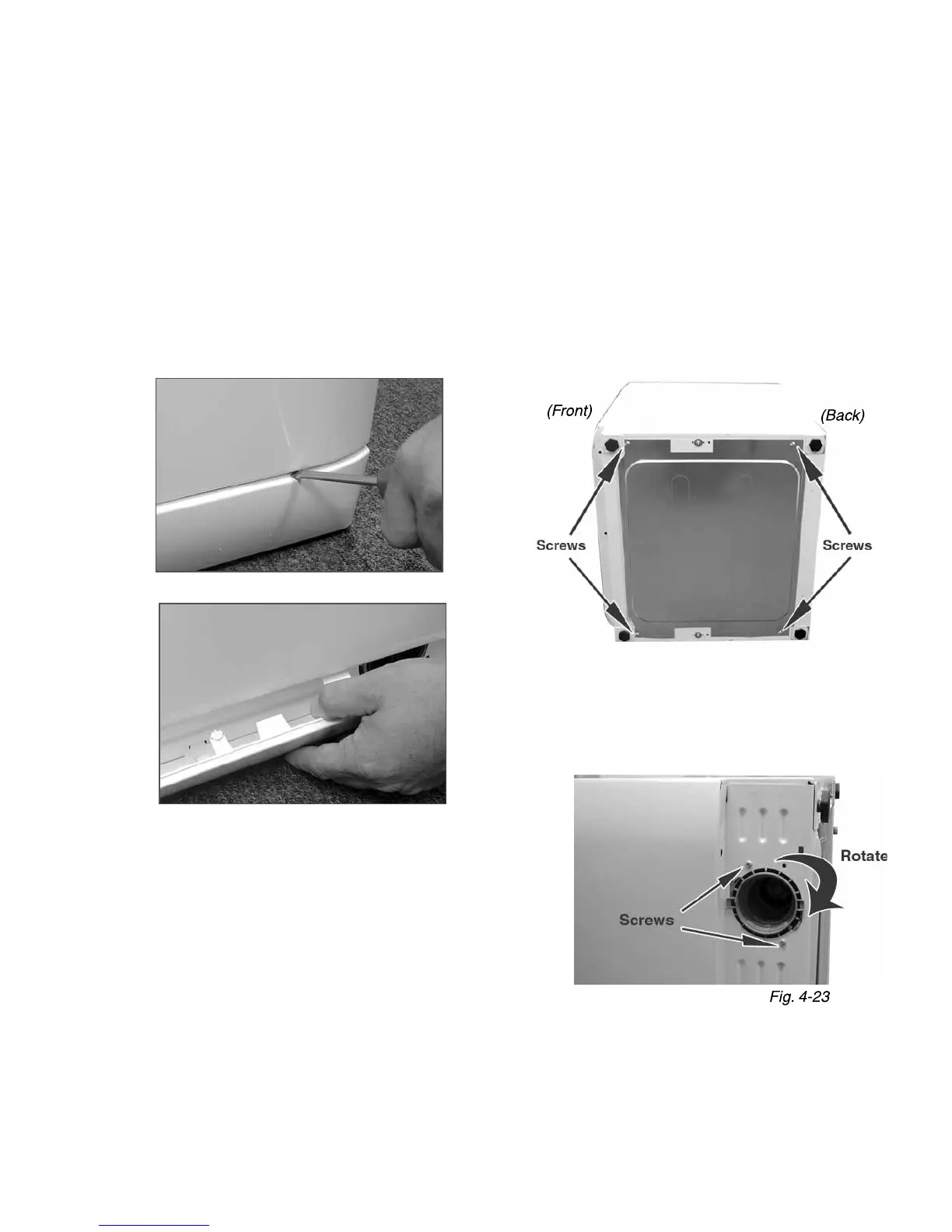
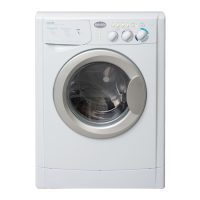
Removing the Lower Panel
Gently ease down the top of the panel with a fl at blade screw-
driver or plastic putty knife.
Remove the panel by lifting slightly and pulling forward.
(Below)
Lower Panel / Drain Pump / Pump Filter
The Drain Pump is located at the lower, right-corner of the machine.
You’ll need to remove the Lower Panel to access the Drain Pump and Pump Filter.
(Continued on the next page)



 To Next Page