Component Testing Procedures
Fault Codes: N/A
To check the Door Switch for proper operation, the door must be locked:
1. Begin with the machine OFF. Using the Program Selector, select any cycle.
2. Next, press the ON/OFF button “in” to the ON position. You’ll hear the door lock engage.
3. Now, unplug the washer-dryer from the wall outlet and check for continuity at the following
points.
NOTE: Because the washer-dryer will automatically unlock, the reading must be taken within 1-minute after the
washer-dryer is unplugged.
. Door Switch Testing
Test Points Reading
Unlocked Door 1 to 2 INFINITY (OL)
Locked Door 1 to 2 0 ohms
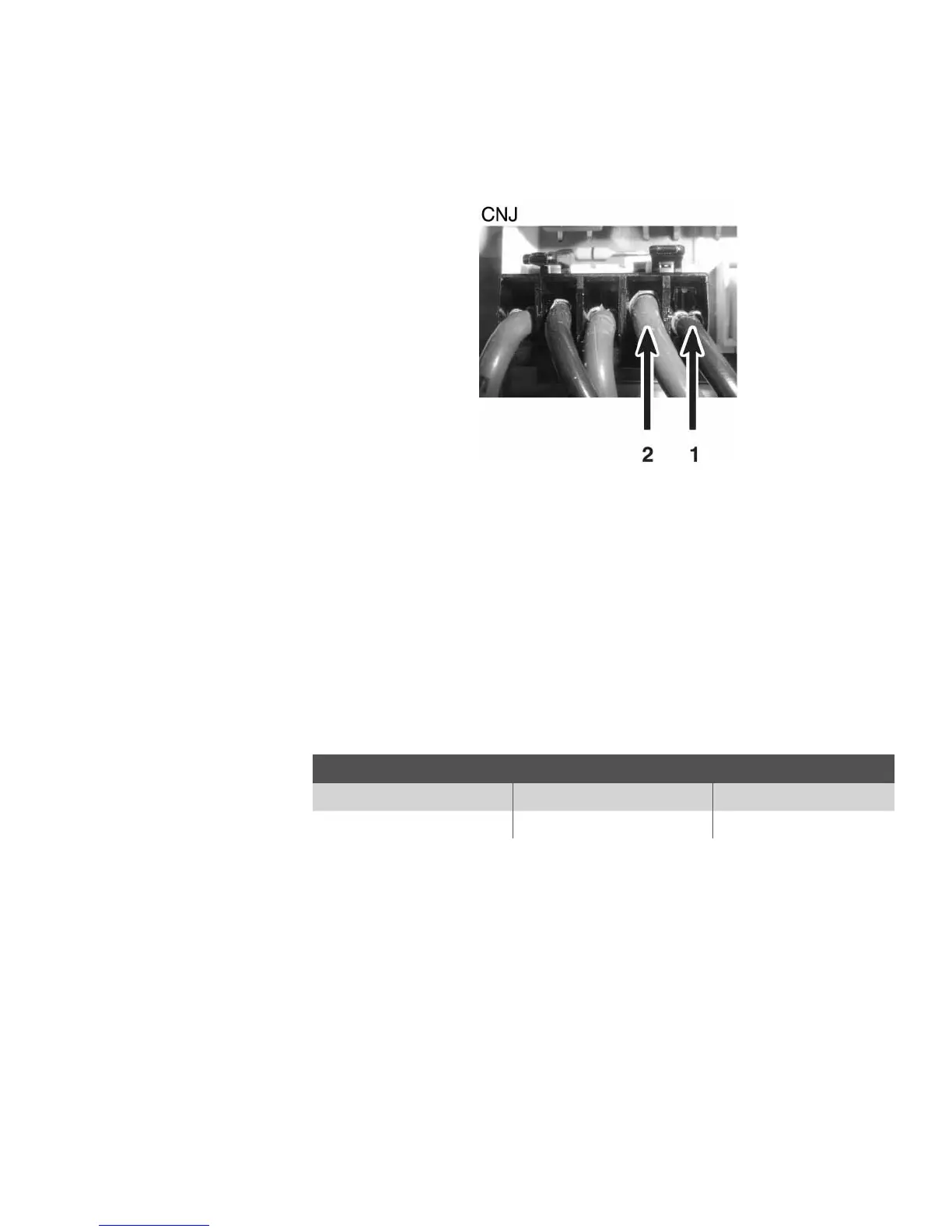
Door Switch Test Points are located on the CNJ connector on the Module Board
(See “Connector Locations on the Module Board”).



 To Next Page