Accessing the Components
Removing Dry Time/ Water Temp. Selectors
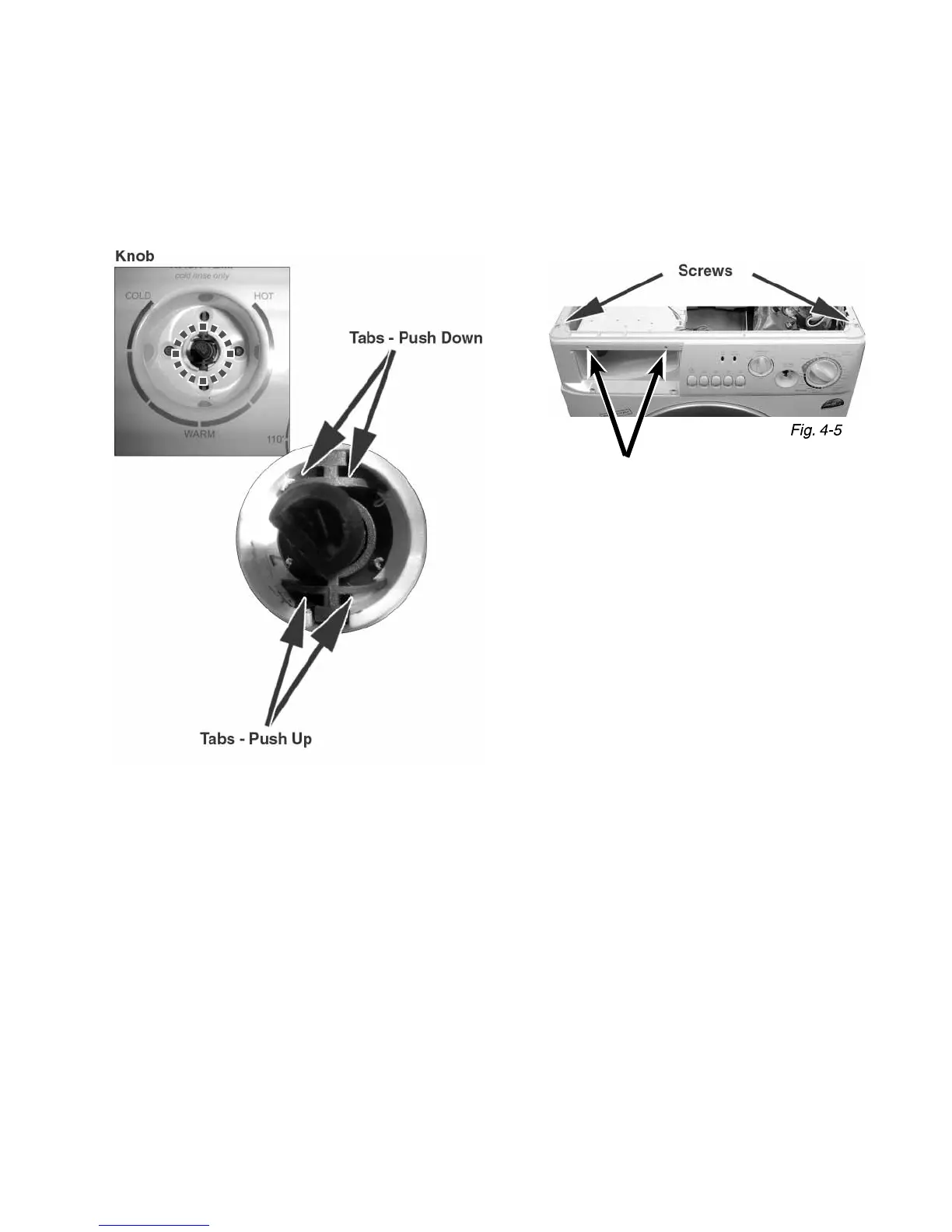
First, mark the connections, so the connectors are attached to the
correct Selectors when reinstalled. Push tabs with a screwdriver
(Fig. 4-4) while pulling the Selector backwards.
Removing the Control Panel
The replacement Control Panel is shipped as a single unit and
contains all switches & buttons (Knobs, Selectors and LED’s are not
included). Remove the Phillips Head Screws (Fig. 4-5) and then lift
the entire panel straight off .
Fig. 4-4
Screws



 To Next Page