PXS-710D Section 2
36
2.5.4 CALIBRATION MODE (W/PXS-710D CALIBRATION UTILITY)
The PXS-710D Calibration Utility allows calibration of the PXS-710D with
a host computer connected to the Serial RS-232 Port of the Generator.
The PXS-710D Calibration Utility CD-ROM is provided with this
documentation.
Run the installation program and install the Utility.
The Default Serial COM port is COM1, be sure to configure the Host PC
accordingly.
a. Start the PXS710D utility, PXS710D.exe . Located in the following
directory: C:\Program Files\PXS-710D\
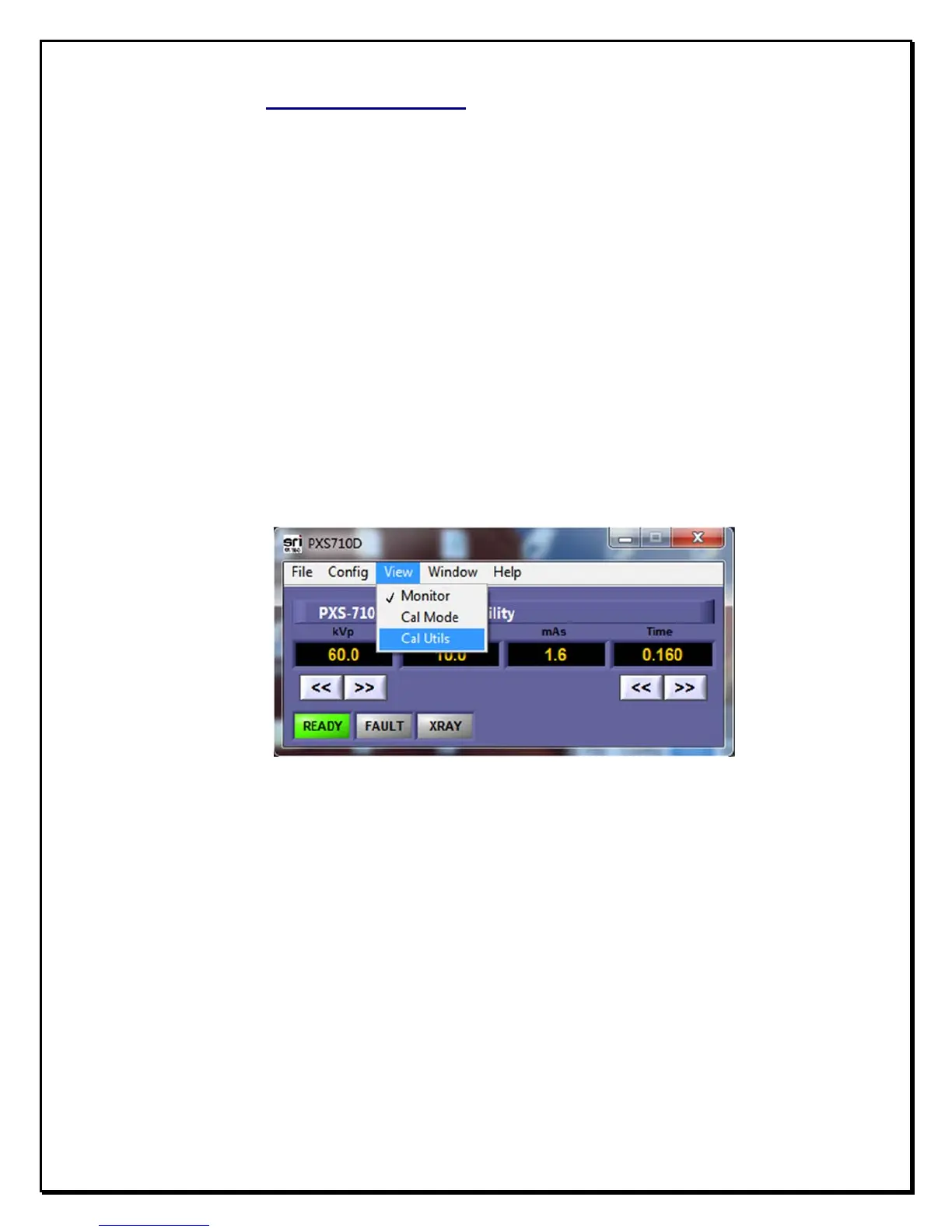
b. From the Drop-down menu select ”Cal Utils” as shown in Fig. 2.3
F
igure 2.3
V
iew
M
enu
c. The Calibration Menu is password protected. In the password Dialog
enter “yarx”. (Fig. 2.4)


 To Next Page