PXS-710D Section 2
41
2.5.5 NORMAL OPERATION (W/PXS-710D CALIBRATION UTILITY)
The PXS-710D Calibration Utility can be used as a standalone controller
for the PXS-710D allowing setting kVp, mAs and manual Exposure
control.
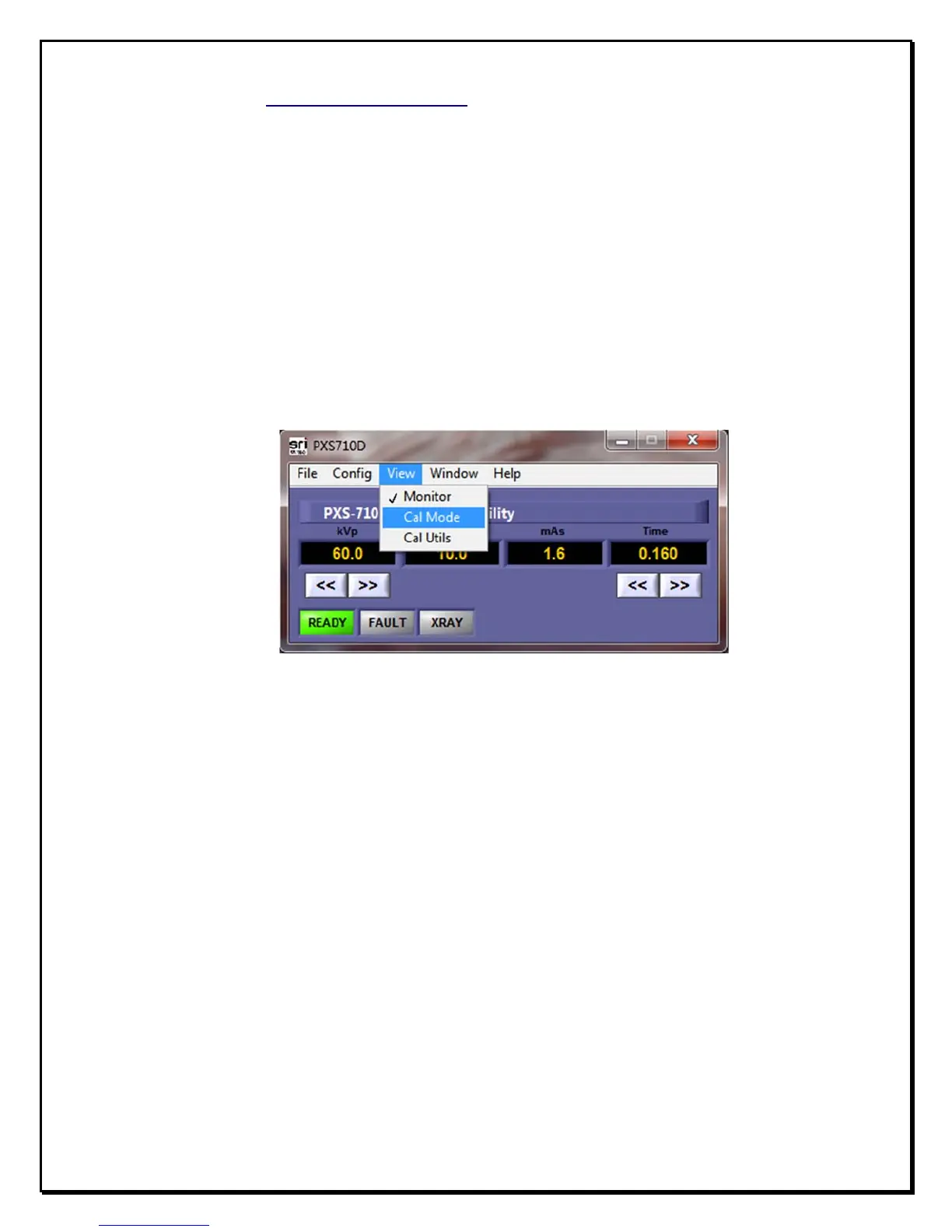
a. Start the PXS710D Utility, PXS710DCal.exe located in the following
directory: C:\Program Files\PXS-710D\
b. From the Drop-down menu select, ”Cal Mode” as shown in fig. 2.10
below.
F
igure 2.10
C
alibration
M
ode
S
election
c. Calibration Mode adds additional diagnostic information to the
application window. Ref fig. 2.11. This information is shown once
the PREP switch on the Exposure switch is depressed.
1) Firmware revision
2) Controller state
3) Firmware CRC


 To Next Page