PXS-710D Section 2
40
2.5.4
C
ONTINUED:
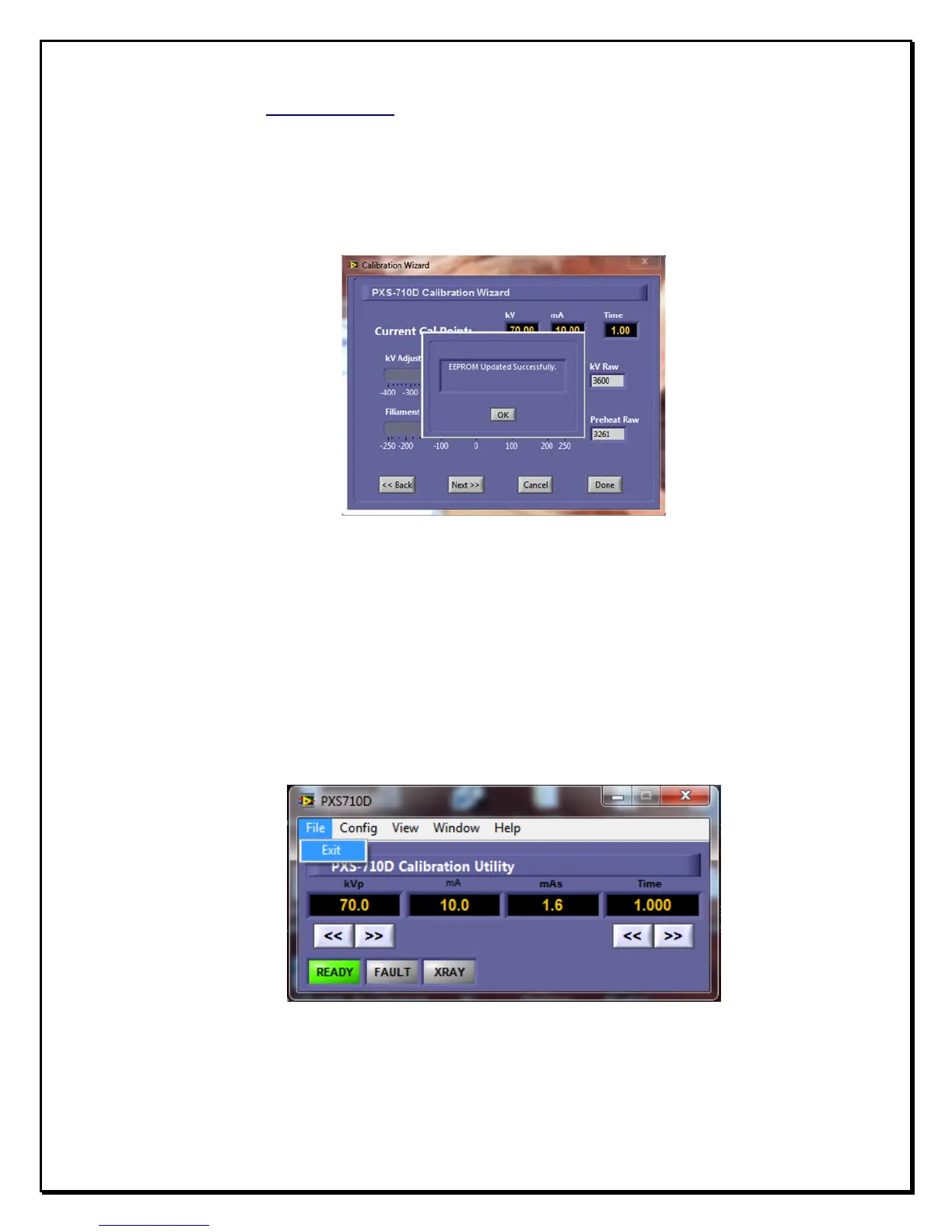
n. Once the new calibration settings are saved, a confirmation dialog is
displayed. Click on ‘OK’ to proceed, you will be returned back to the
“Calibration Menu”. Ref fig 2.8
F
igure 2.8
S
ettings
S
aved
C
onfirmation
o. Exit the ‘Calibration Menu’ by clicking ‘EXIT’. Ref fig 2.9
p. Exit the PXS710D.exe Calibration Utility by selecting ‘File->Exit’ from
the drop down menu.
F
igure 2.9
A
pplication
E
xit


 To Next Page