8
2.4 Printer and Paper Load Function
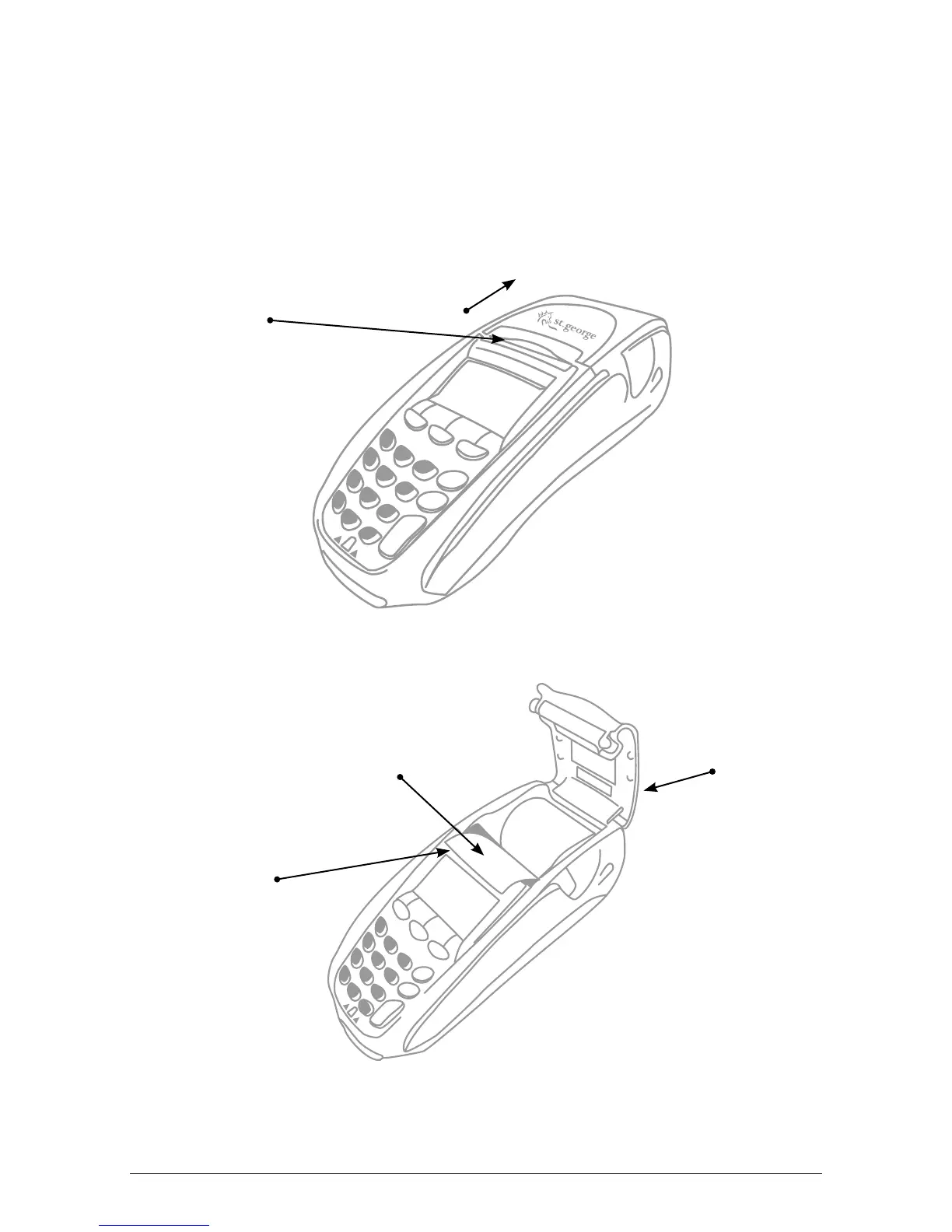
The i5100 EFTPOS terminal has an in-built thermal printer. To load paper:
a) Ensure the terminal is powered on.
b) Open the paper compartment cover by pressing the button located towards the top
of the terminal, above the metal blade, as shown below.
c) Position the paper roll with the end of the roll protruding from underneath the roll.
d) Pull the paper out slightly and close the cover.
e) Test the operation of the printer by pressing the paper FEED button.
Paper
compartment
button
Press button in
this direction
Metal blade to
tear off paper
Paper
compartment
cover
Correct paper
position
DIAL-UP EFTPOS MERCHANT OPERATING GUIDE GETTING STARTED



 To Next Page