Installation ST700 Dash Display System
12
ST700 Dash Display System Display
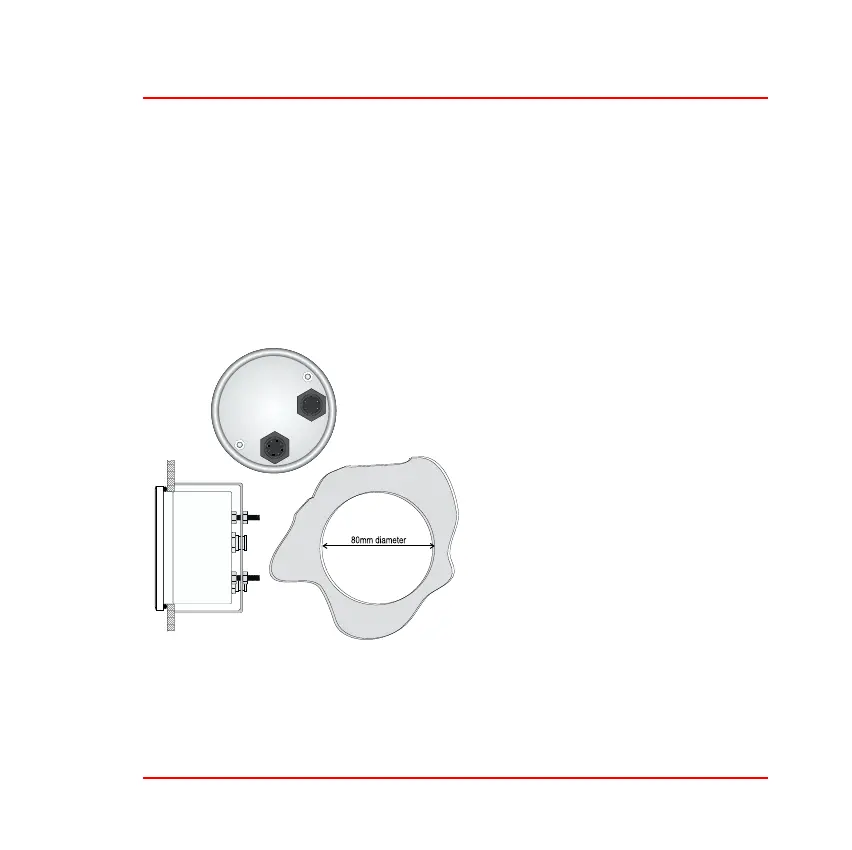
1. Connect the wiring harness to the ST700 Dash Display System dis-
play. There are two connection ports on the back of the display, but
you can insert the 8–way connector only into one of them. Do not
try to force the connector into the incorrect port. Tighten the lock-
ing collar by hand. The second, 6–way, port allows you to connect
the optional pressure and temperature sensors and an optional data
logger module.
Figure 4: Display mounting
2. Fit the ST700 Dash Display
System display into the
instrument panel using the
supplied O-ring.
3. Reach behind the instrument
panel and position the secur-
ing bracket as shown in Fig-
ure 4. Tighten the lock nuts to
fix the ST700 Dash Display
System display into position.



 To Next Page