ST700 Dash Display SystemMemory and Setup
© Stack
47
Setup mode
In the Setup mode, if you press the Driver button as you press and turn
the rotary control, you will adjust some of the settings in larger steps.
Enter the Memory Review and System Setup mode as described on
page 43. Turn the rotary control clockwise to step through the Setup fea-
tures described below.
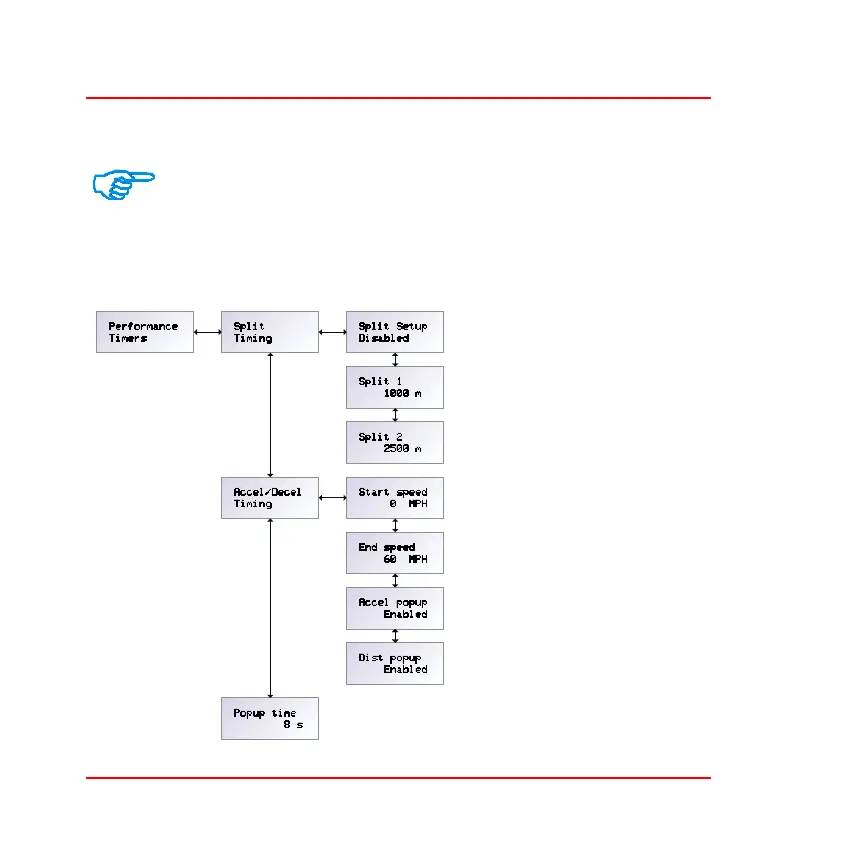
Performance timers—Press
the rotary control when the
display shows ‘Performance
Timers’ to access the three
menu items that allow you
to set the split timing and
acceleration timing func-
tions and the pop–up set-
tings.
❑ Split Timing—Refer to
page 37 for a description of lap
and split timing. Tu r n t h e
rotary control clockwise
until the display shows
‘Split Timing’. Press the
rotary control briefly to
show the current setting for
the first split timing dis-



 To Next Page