Memory and SetupST700 Dash Display System
44
❑ If you do not use the rotary control, the system will return to Run
mode after five minutes. If the vehicle is moving, the system will
return to Run mode after 30 seconds.
❑ From this display, turn the rotary control anticlockwise to use the
Memory Review features described below, or clockwise to use the
Setup menus described between page 47 and page 59.
Memory review features
Enter the Memory Review and System Setup mode as described above.
Turn the rotary control anticlockwise to step through the memory re-
view features described below.
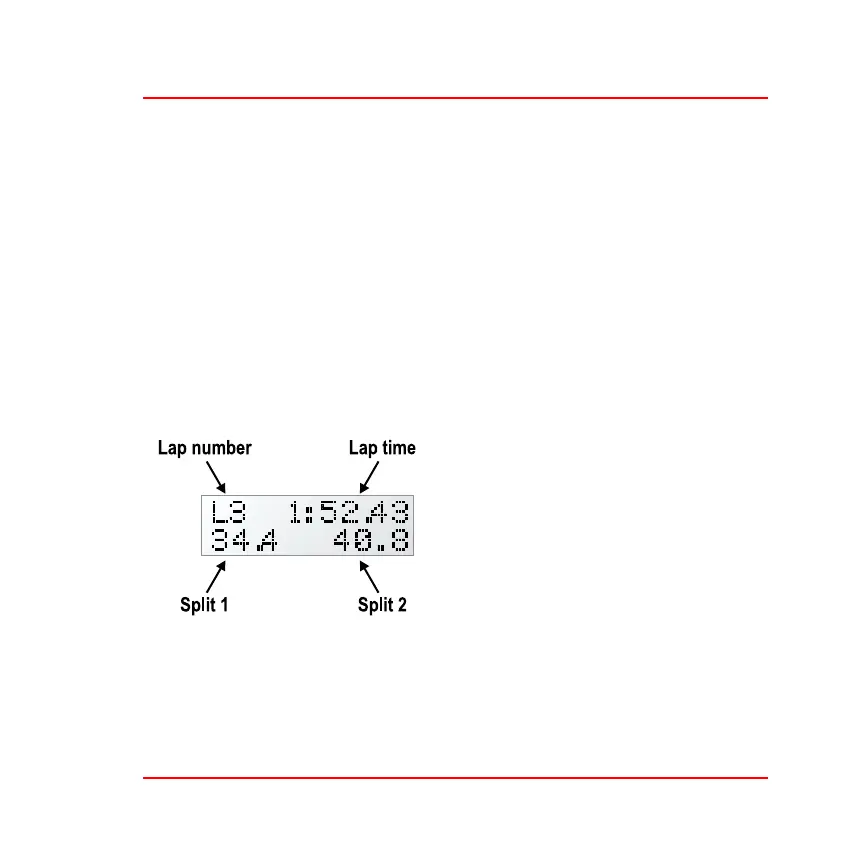
Lap timing—When you enter this
mode, the display will show details for
the most recent lap.
Note that the memory review for Split
2 shows the time difference between
the two split markers. This is unlike
the real–time display pop–up for Split
2, which shows the total time taken
from the start of the lap to reach the
second split marker.
Press and turn the rotary control to cycle through the lap memory, turn-
ing the control anticlockwise to review earlier laps. The ST700 Dash Dis-
play System can record lap and split times for up to 75 laps before the



 To Next Page