– 20 –
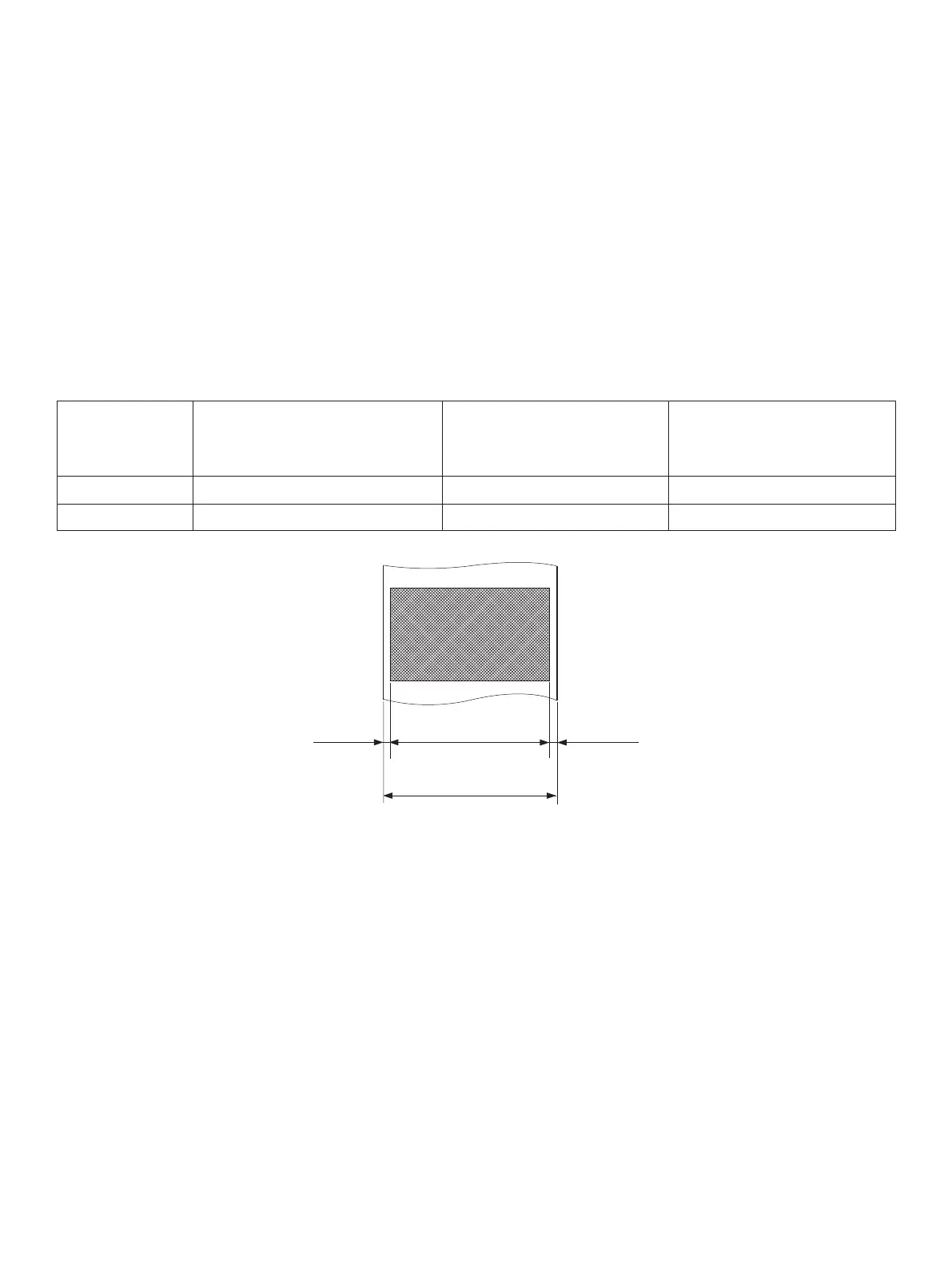
Left Margin Right MarginEffective Print Width
Paper Width
5-2.ACadapter(option)
AC adapter which are not specied may result in damage to the printer, re or electric shock.
Model name: PS60A-24 series
Input: 90 to 264 V AC, 50/60 Hz
Output: DC24 V ±5%, 2.0 A (5.0 A Load 10 sec. Max.)
Note:
1) Depending on the type and thickness of the paper, it may be necessary to change the
settings for printing darkness. To change the darkness settings, use the printing dark-
ness settings command <ESC><RS> ‘d’ n or the memory switch. Please consult the
dealer for details.
2) e print density may vary depending on the type of paper roll and operating environ-
ment.
3) A reader or scanner may not be able to scan a printed bar code or characters depend-
ing on the print density. Make sure that your reader or scanner is able to scan correctly
beforehand.
(3) Eective Print Width
P a p e r
Width
(mm)
Right / Left Margin
(mm)
E f f e c t i v e P r i n t
Width
(mm)
Number of Print
Columns (12 × 24
Font)
79.5 ± 0.5 3.75 72 48
57.5 ± 0.5 Le 2.75, Right 3.75 51 34















 To Next Page