– 26 –
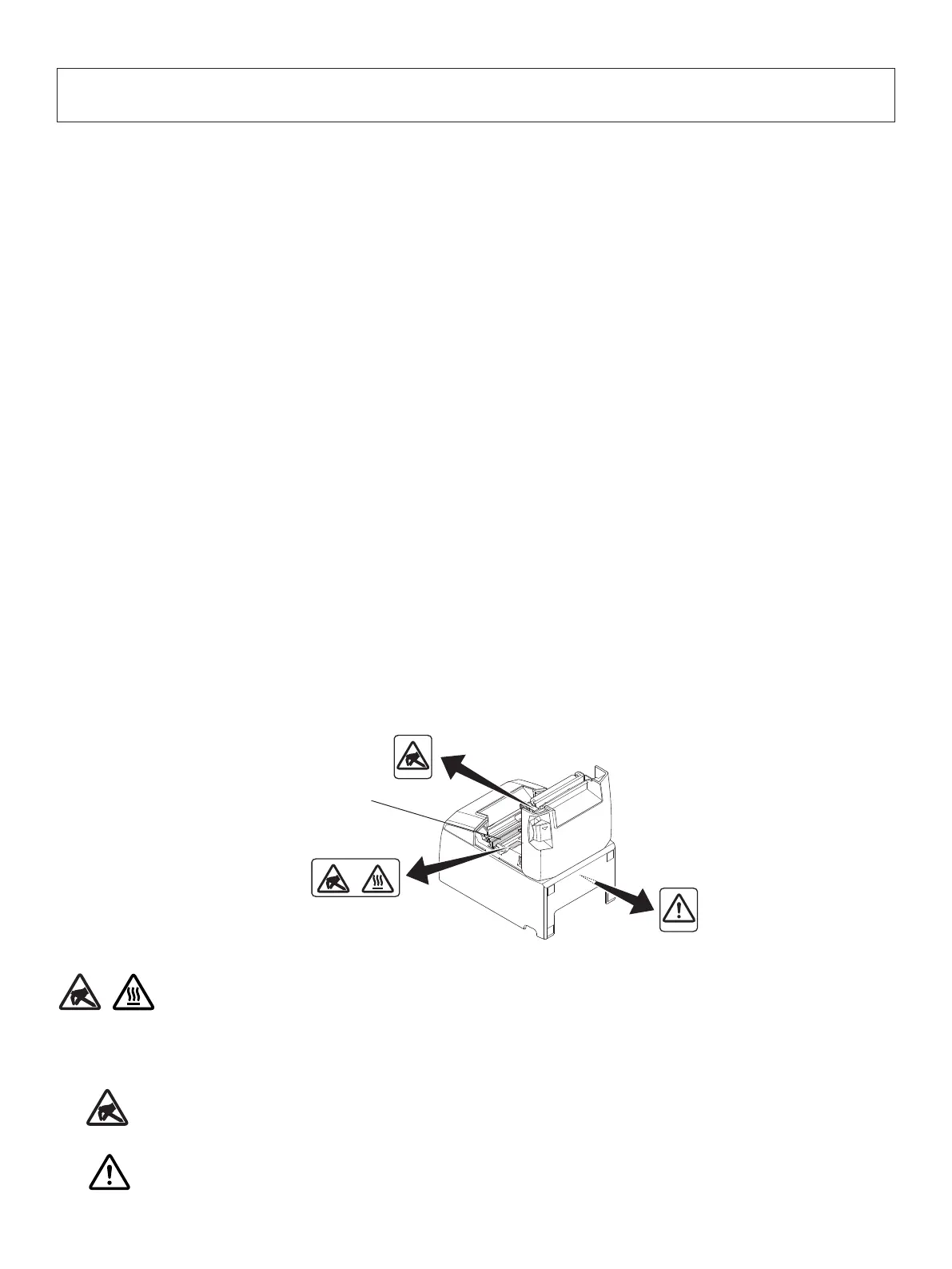
Thermal head
8. Preventing and Clearing Paper Jams
8-1.PreventingPaperJams
e paper should not be touched during ejection and before it is cut.
Pressing or pulling the paper during ejection may cause a paper jam, paper cutting failure or
line feed failure.
8-2.RemovingPaperJam
If a paper jam occurs, clear it as described below.
(1) Set the power switch to o to turn o power to the printer.
(2) Push the lever toward you to open the printer cover.
(3) Remove the jammed paper.
Note: To prevent parts such as the thermal head or the rubber roller from damage or
deformation, do not forcibly pull on the paper with the printer cover closed.
(4) Position the paper roll straight and close the printer cover gently.
Note1: Make sure that the paper is positioned straight. If the printer cover is closed with
the paper skewed, a paper jam may result.
Note2: Lock the printer cover by pressing down on the sides. Do not try to close it by
pressing down on the centre. e cover may not lock properly.
(5) Set the power switch to on to turn on power to the printer. Make sure that the ERROR LED
is not lit.
Note: While the ERROR LED is lit, the printer will not accept any commands such as
the print command, so make sure that the printer cover is locked properly.
These labels are located near the thermal print head.
Because the thermal print head is hot immediately after printing, do not touch
it. Static electricity can damage the thermal print head. To protect the thermal
print head from static electricity, do not touch it.
This symbol is placed near the cutter.
Never touch the cutter blade, as you could injure your fingers.
This symbol is placed near the peripheral drive connector.
Do not connect this to a telephone.















 To Next Page