55
EN
This chapter explains the interface of the Autoleveler CA plugin and should enable you to customize the application to
your personal needs after reading it. The Autoleveler CA plugin offers some options to inuence the probing process.
Since the 3D probe is a sensitive measuring instrument, you should denitely perform some careful tests to be sure that
the settings are suited for your use case.
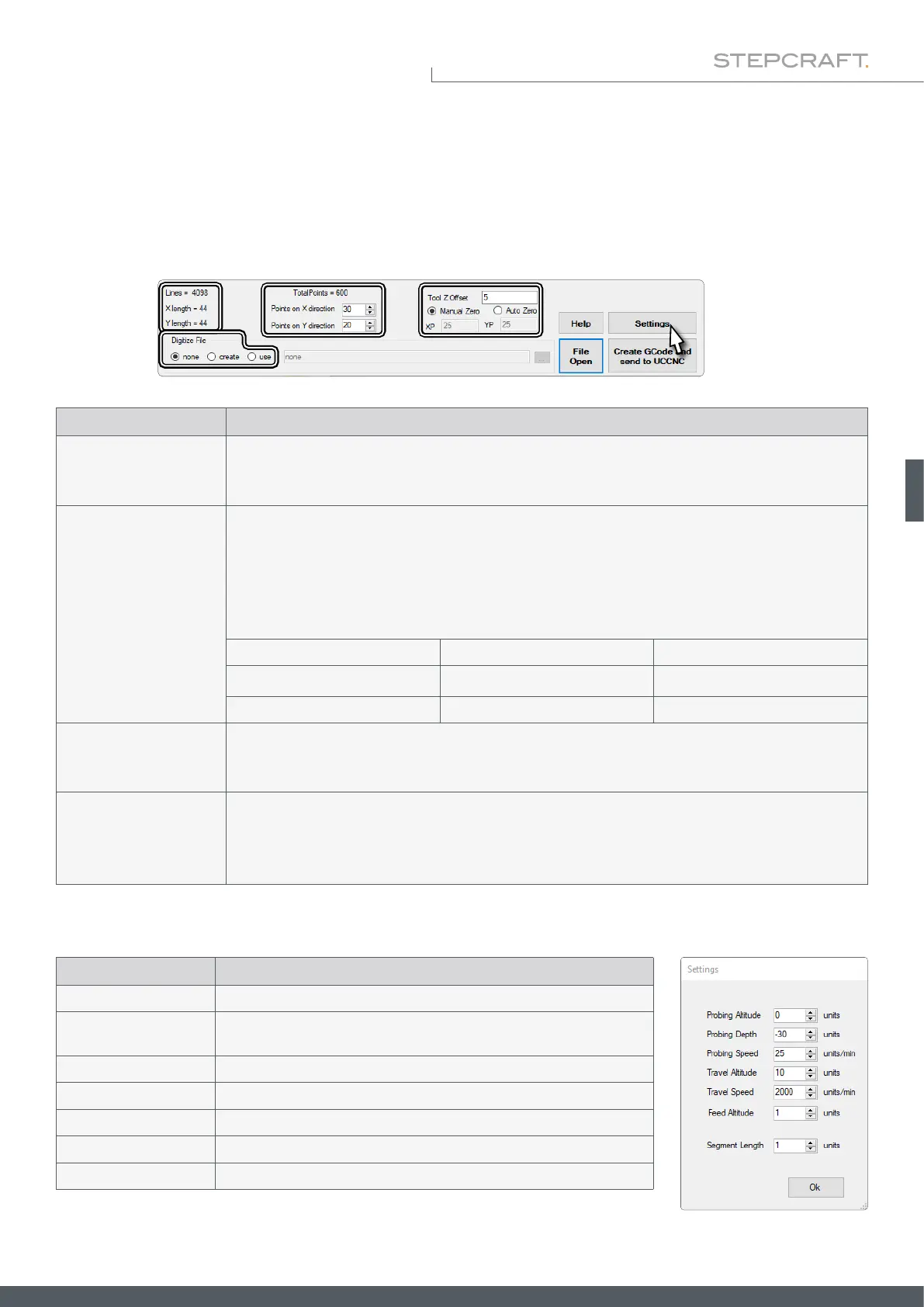
6.5.1 Explanation of the Autoleveler CA-Plugin
Display Description
Lines
X / Y Length
Lines shows the current amount of G code lines which the plugin will generate.
X / Y Length shows the outer dimensions which are called from the loaded nc le.
Points on X / Y direction:
Dene the points to be probed. If you want a specic distance between the individual probing points,
divide the length of the measuring range by the desired distance and repeat the same for the width of
the measuring range. Higher input values lead to a ner result but also to a longer process duration. You
can see the number of probe points above the input elds (TotalPoints).
Example:
53 mm Length 220 mm
1,5 mm Distance between points 1,5 mm
X =
53
/
1,5
= 35 Amount of points 147 = Y =
220
/
1,5
Tool Z Offset
If you wish to directly switch to machining after scanning, you can enter the length difference between
the 3D probe and your tool here. Determine this difference before you start a milling program. Use a
dot for comma values.
Manual Zero
Auto Zero
If you determine your own Z zero point, select Manual Zero.
Auto Zero offers the option of determining the Z zero point automatically. Enter the X / Y coordinates at
which the Z-zero point is to be determined with the 3D probe.
Display Description
Probing Altitude Safety distance when approaching the rst point.
Probing Depth
Maximum distance during Z-movements before the measurement is
stopped and the Probing Depth value is taken as the measurement.
Probing Speed Movement speed during Z-measurement.
Travel Altitude Retreat height (Z) at which the probe travels between two points.
Travel Speed Movement speed between two points.
Feed Altitude Retreat height (Z) when starting the next processing cycle.
Segment Length So far no practical application.
With a click on Settings, a window opens in which you can tweak details of the scan process.



 To Next Page