11-60 Pretrip inspection and maintenance
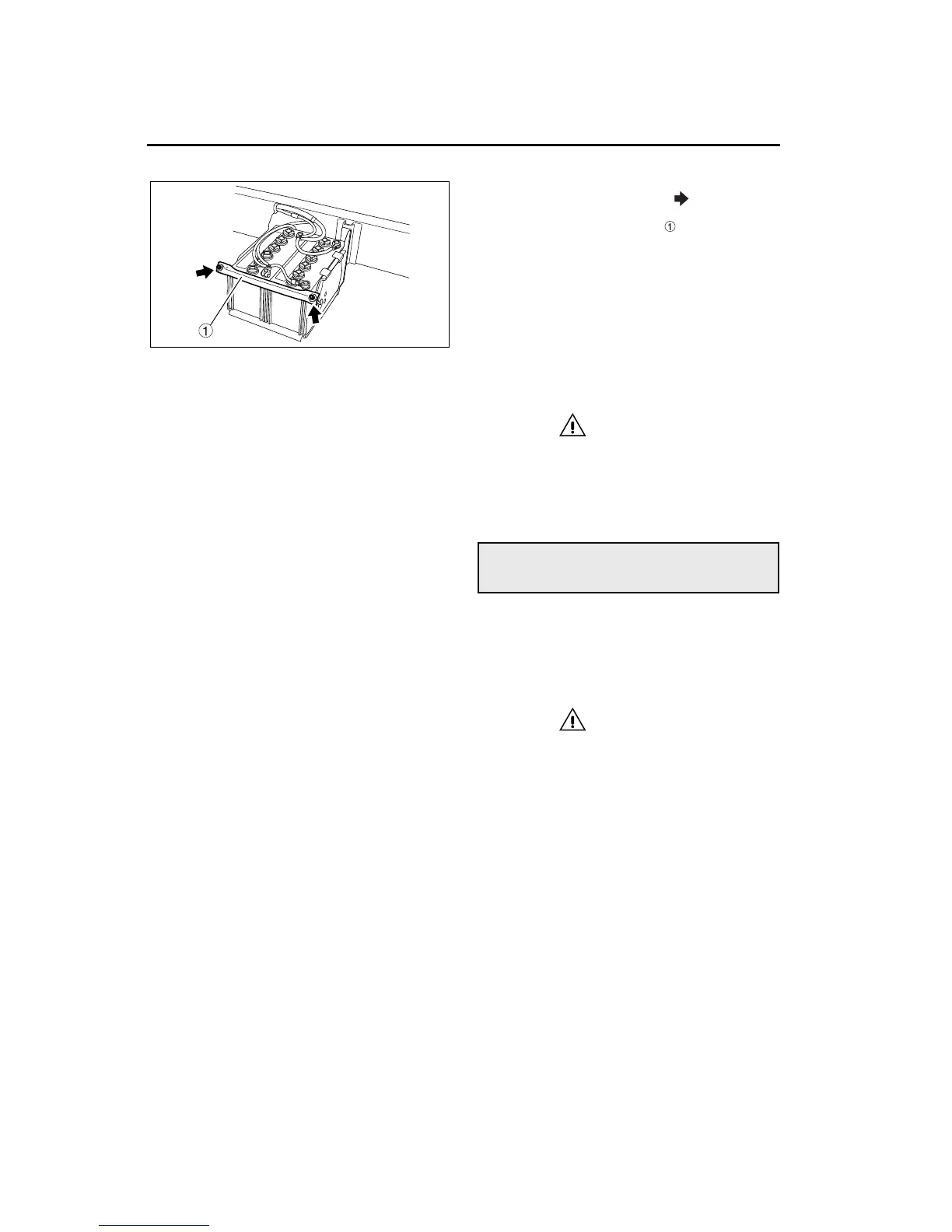
2. Remove the battery support mounting nuts
(each indicated by an arrow in the illustra-
tion).
3. Remove the battery support , then remove the
batteries.
6 Installing the batteries
1. Install the battery support and tighten the battery
support mounting nuts.
2. Connect the battery cables. On each battery,
connect the negative (–) terminal last.
3. Make sure the batteries are securely in place
before installing the battery cover or moving the
vehicle.
CAUTION
Make sure the battery is securely installed. If it
is left loose, shocks and vibrations from the
road could damage the battery case and battery
plates, shortening battery life.
To reduce dust and dirt, remove and clean the air fil-
ters in the heating, ventilation, and air conditioning
system (HVAC filters) at regular intervals (every 6
months or so).
Clean the HVAC filters at shorter intervals if your
vehicle is used frequently in dusty areas.
CAUTION
Clogged filters may result in inefficient heating
and/or air conditioning, and cause damage to
the blower motor.
1 Outside air filter
Disassembly is required to clean the outside air fil-
ter. Do not attempt to remove this filter yourself.
Bring the vehicle to an authorized Sterling service
facility.
HVAC filter cleaning
Z15058



 To Next Page