5-18 Switches and controls
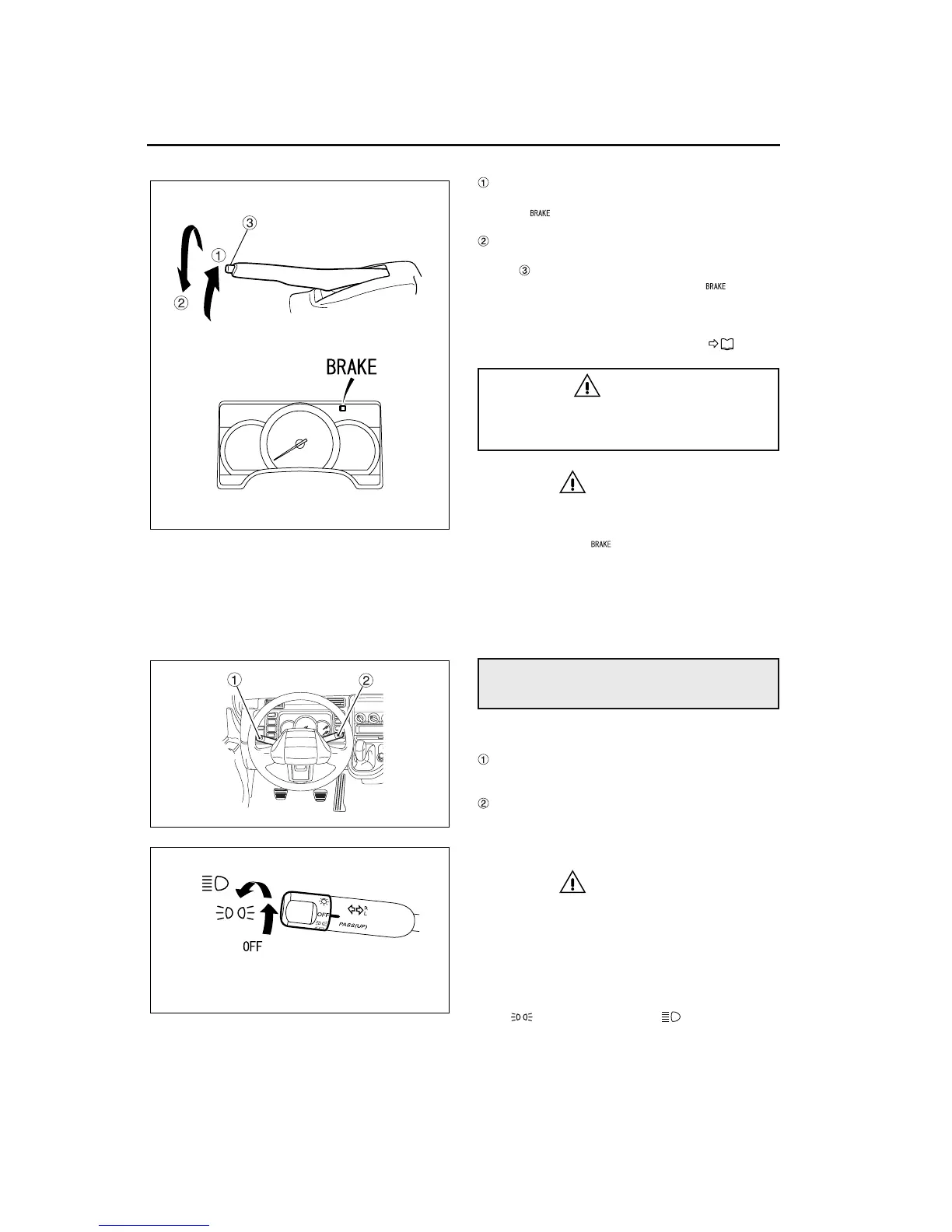
Parking
To set the parking brake, pull the lever all the way
out. The warning illuminates at the same time.
Releasing
Raise the lever slightly, press and hold the release
button , and lower the lever with the release but-
ton still pressed. Make sure that the warning
goes out.
• When parking, please bear in mind the cautions
in “Parking”, chapter 7. P. 7-12
CAUTION
• Before putting the vehicle in motion, com-
pletely release the parking brake lever and
check that the warning light is not illumi-
nated. If you accidentally drive the vehicle
with the parking brake set, the parking brake
will wear prematurely and overheat, leading
to reduced effectiveness and the risk of a
fire.
1 Arrangement of switches
Headlight switch
Headlight high-beam dimmer
Turn signal switch
Exhaust brake switch <manual transmission>
Wiper/washer switch
2 Headlight switch
CAUTION
Keeping the headlights on for a long period
without the engine running can drain the bat-
tery, making the engine difficult to start.
The headlight switch operates at any position of the
ignition switch.
There are three positions for the headlight switch:
OFF, (auxiliary lights), and (full).
NOTE:
The auxiliary lights include the identification, clear-
ance, and side marker lights, the parking lights, tail-
lights, and license plate light, and the gauge lights
on the instrument cluster.
WARNING
When parking your vehicle on a hill, chock
the wheels for safety. This could prevent an
injury accident.
Multifunction switches
Z11856
Z14900
Z11858



 To Next Page