12-20 In an emergency
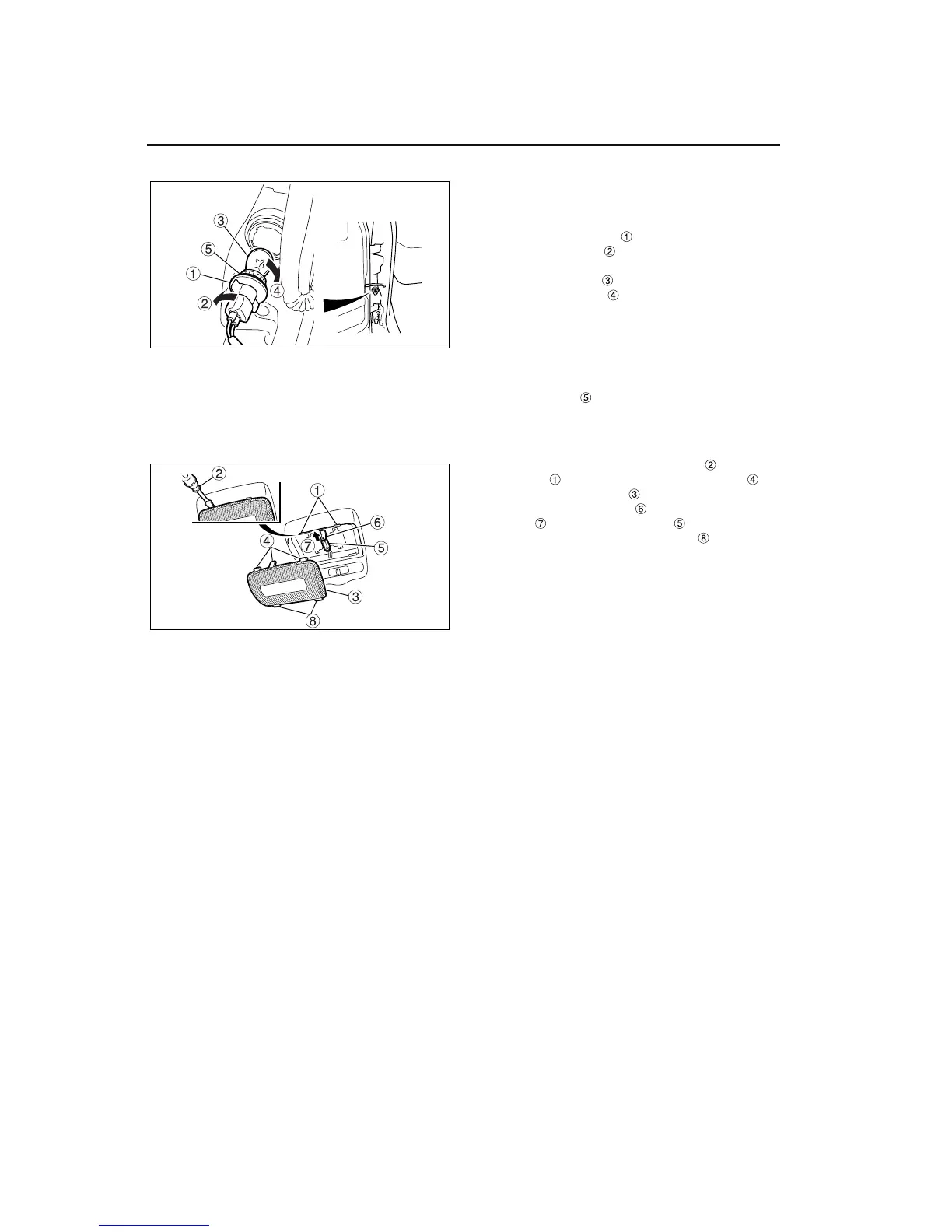
2 Front and side turn signal bulb replace-
ment
1. Open the door.
2. Turn the bulb fixture counterclockwise (in the
direction of arrow ) to remove it from the vehi-
cle.
3. Press in the bulb and turn it clockwise (in the
direction of arrow ) to remove it from the fix-
ture.
4. Install the bulb and turn it counterclockwise until
seated.
5. Insert the fixture into the vehicle and turn it until
it catches. Tug gently on the fixture to make sure
the bulb is locked in position.
6. If the packing is dirty, clean it.
3 Dome light bulb replacement
1. Insert a flat-blade screwdriver into the
notches and use it to release the tabs on
the bottom of the lens . Remove the lens.
2. Push the bulb retainer in the direction of the
arrow and remove the bulb .
3. To install the lens, insert the tabs on the bot-
tom of the lens, align the tabs on the top of the
lens, and press the lens into place.
4 Replacing other lights
1. Loosen the lens retaining screws (the screws
that secure the lens to the fixture). Then remove
the lens from its fixture.
2. Turn the bulb counterclockwise while pressing in
until it can be removed.
3. Insert a new bulb and turn it clockwise.
4. Fit the lens onto the fixture.
5. Ensure that the packing is correctly positioned.
If the packing is incorrectly installed, water can
enter the fixture and shorten its life. If the pack-
ing is dirty, clean it.
6. Tighten the lens retaining screws until firm.
Z11278
Z11279


 To Next Page