8-9
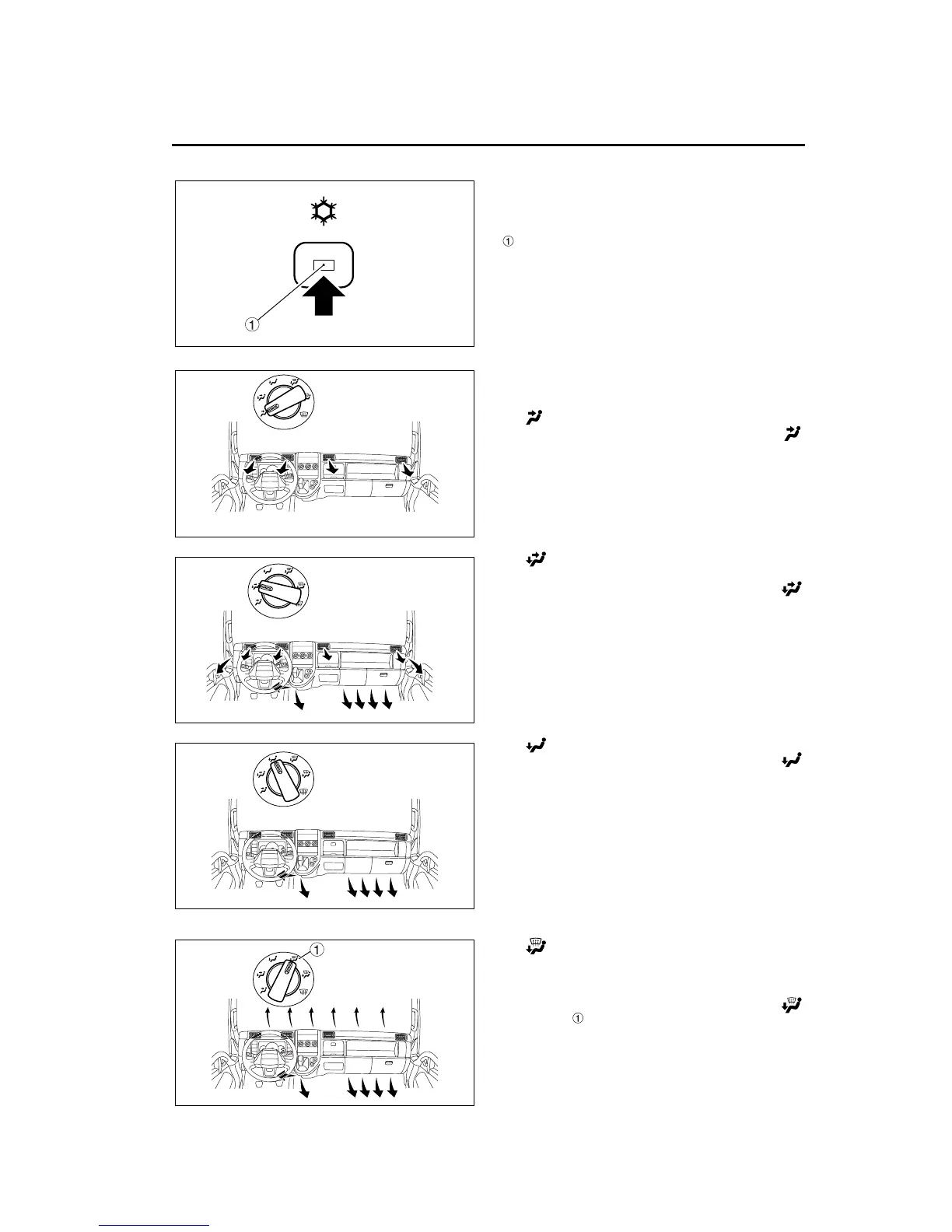
1.4 A/C (air conditioner) button
The A/C button provides cool, dry air to the cab.
Press the button to turn on the air conditioning.
When air conditioning is selected, the A/C indicator
in the center of the switch illuminates.
With the A/C indicator on, press the button again to
turn off the air conditioning. The A/C indicator goes
out.
1.5 Air selection switch
Use the air selection switch to direct cool air to the
selected outlet as desired.
• For cool airflow toward the upper body:
Place the air selection switch in the face
position.
• For cool airflow toward the upper body and
toward the feet:
Place the air selection switch in the bi-level
position.
• For cool airflow toward the feet:
Place the air selection switch in the foot
position.
• For cool airflow toward the feet and toward
the windshield:
Place the air selection switch in one of the two
floor/defrost positions.
1. With the switch in the floor/defrost 75-25
position , most of the air is directed toward the
feet and the rest of the air is directed toward the
windshield.
Z05613
Z14910
Z14911
Z14912
Z14913



 To Next Page