ID 442710.00 34WE KEEP THINGS MOVING
More about PROFINET?
6
Operation manual PROFINET
is deleted and step 0 is activated.
If no error bit is set, the read lines are output for RDREC and the written
lines for WRREC and in both cases step 8 is then activated.
• 8: Terminate service
Element "BUSY" is deleted, Element "DONE" is set and step 0 is activated.
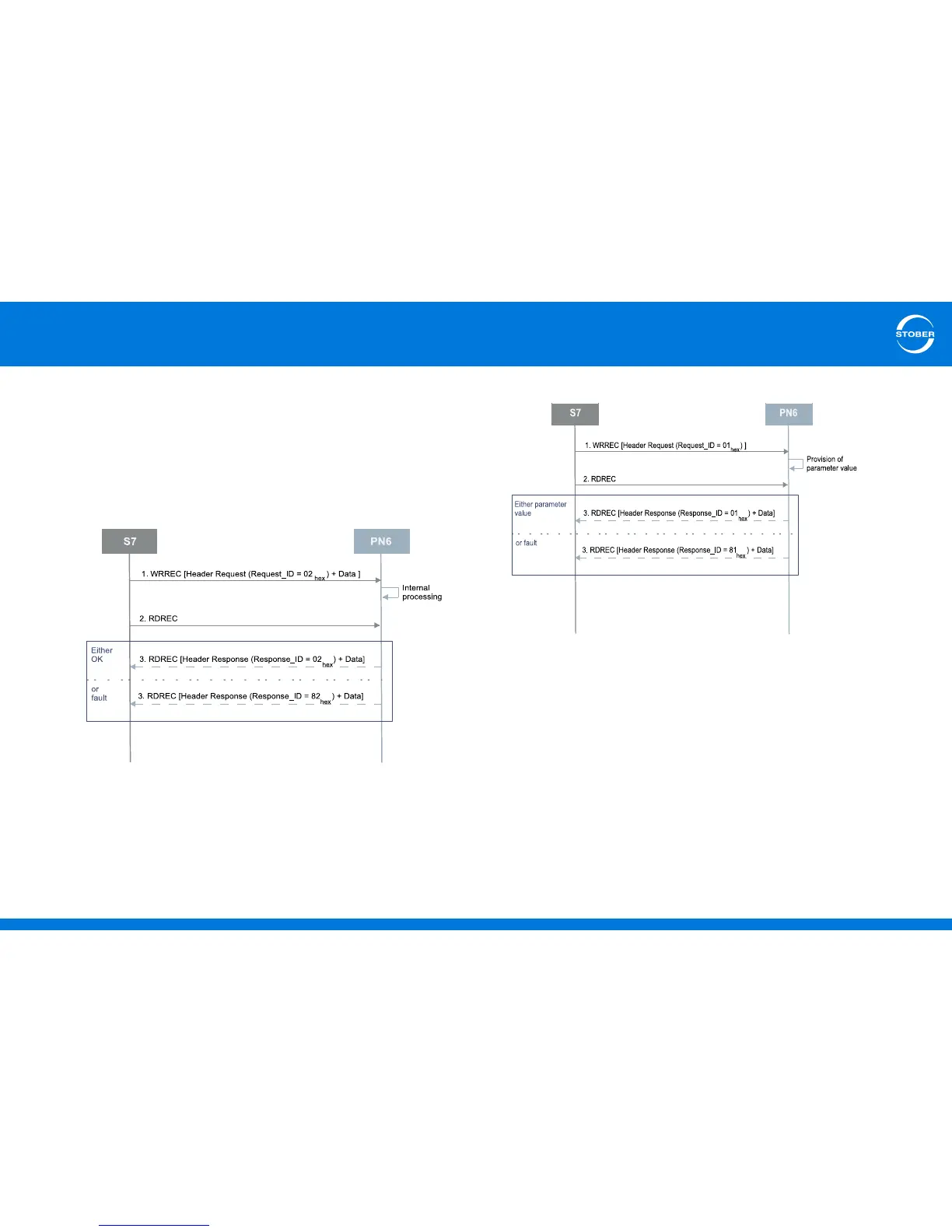
"Write record data" diagram
"Read record data" diagram
Note that a "Read parameter value" request always starts with a write task that
contains the parameter values to be read.



 To Next Page