BIOS Utilities
The Setup Utility 5 - 5
5
Booting From a Windows 8.1 DVD
If you want to boot from a Windows 8.1 DVD (e.g. to reinstall the system software)
in an external optical CD/DVD device drive, then follow this procedure.
1. Insert the Windows 8.1 DVD into the external DVD drive.
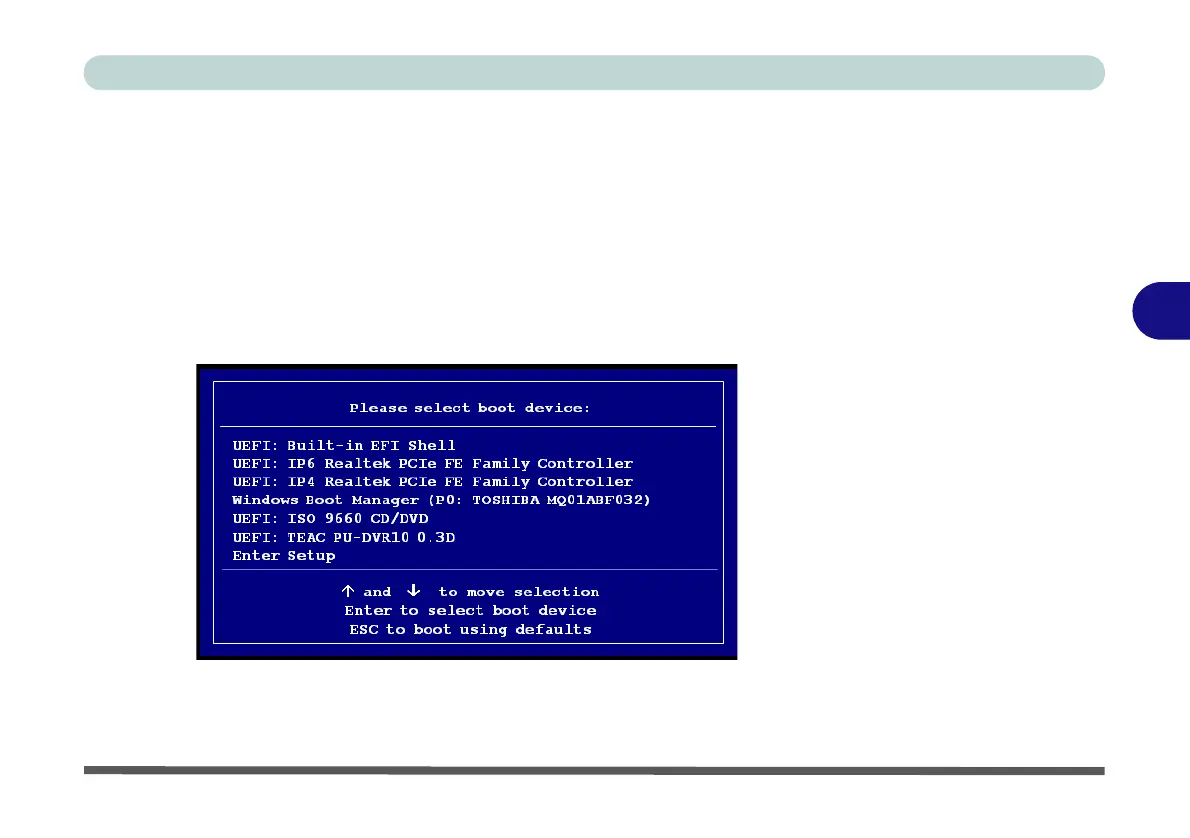
2. Start the computer up and press the F7 key to enter the Boot Options menu.
3. Select the external DVD device as the boot device.
Note that two DVD devices will appear in the boot options menu, and you should
select the device that simply states the name of the external DVD device (do not se-
lect the DVD entitled ISO 9660 CD/DVD to boot from the Windows DVD).
4. You will then be prompted to “press any key to boot from CD or DVD”.
5. Press a key to boot from the Windows DVD and follow the instructions and
prompts to install Windows.
Figure 5 - 2
Boot Options Menu



 To Next Page