Windows 10 Start Menu E - 3
Windows 10
Windows 10
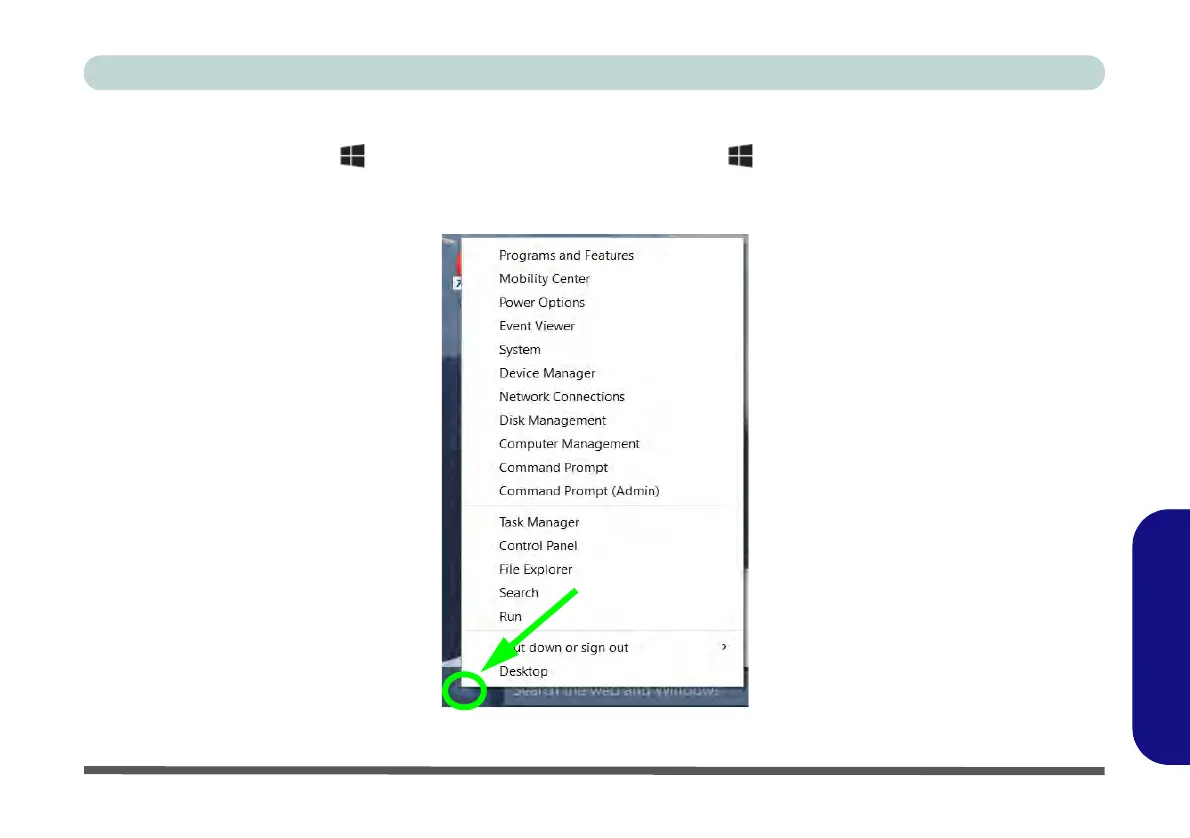
Right-Clicking the Windows Logo In Start Menu
Right-click the Start Menu icon (or use the Windows Logo Key + X key combination) to bring up an
advanced Context Menu of useful features such as Control Panel, Programs and Features, Power Options, Task
Manager, Search, File Explorer, Command Prompt, Device Manager and Network Connections etc.
Figure E - 2 - Right-Click Windows Logo in Start Menu



 To Next Page