Windows 8.1 Control Panel 1 - 17
Quick Start Guide
1
Windows 8.1 Control Panel
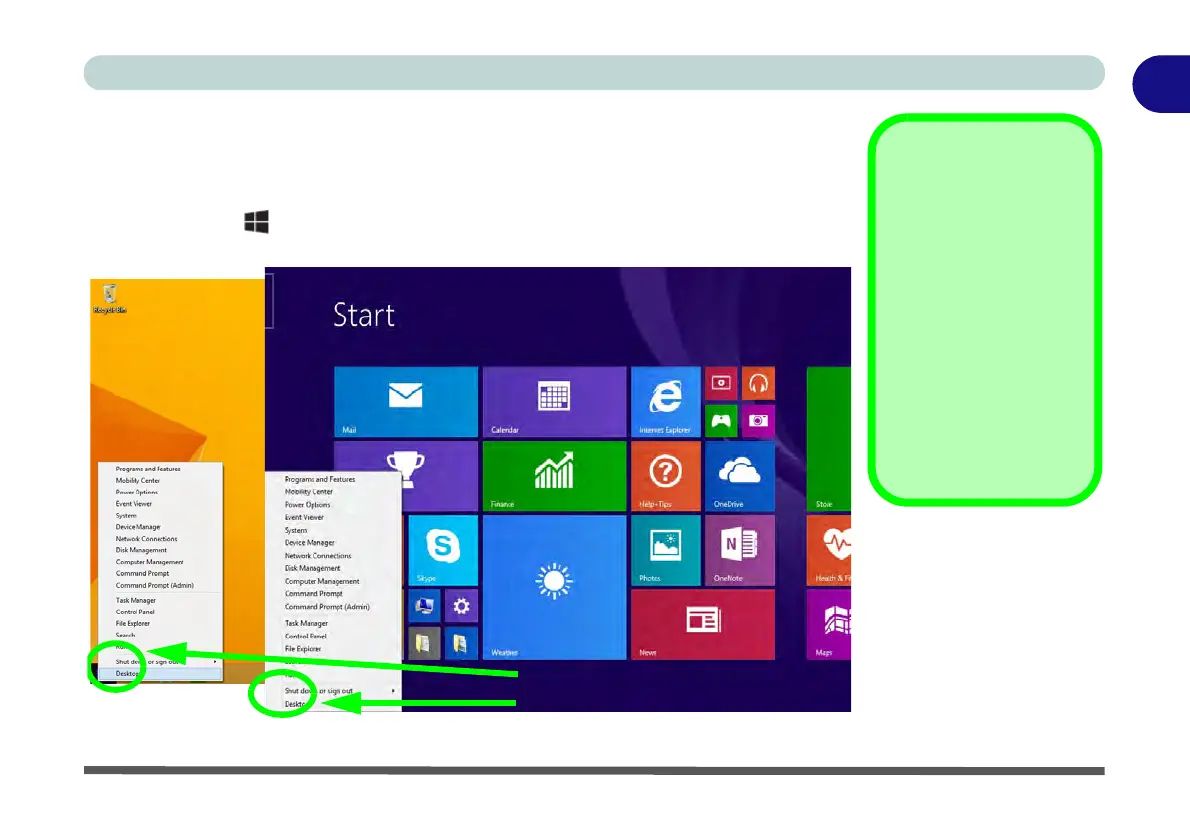
Throughout this manual you will see an instruction to open the Control Panel.
R
ight-click the lower left hot corner to bring up the context menu (or use the Win-
dows Logo Key + X key combination)
and select Control Panel in both the
Desktop app or Start screen.
Figure 1 - 10 - Windows Context Menu
Windows Versions
Note that the informa-
tion included on the fol-
lowing pages is for the
latest updated version
of Windows 8.1 only.
Make sure you enable
Windows Update in or-
der to get all the latest
security updates etc.
(see “Windows Up-
date” on page 4 - 9).
Move the mouse to the bottom left
Start Screen
Desktop app
of the screen and right-click to
access the menu.



 To Next Page