Video Features E - 9
Windows 10
Windows 10
Video Features
You can switch display devices, and configure display options, from the Display control panel (in Appearance
and Personalization). Click Adjust resolution to make changes to the appearance of the display and to detect
and configure any attached displays. In Windows 10 it is possible to quickly configure external displays from
the Media Connect menu (
press the Windows logo key on your keyboard and the P key).
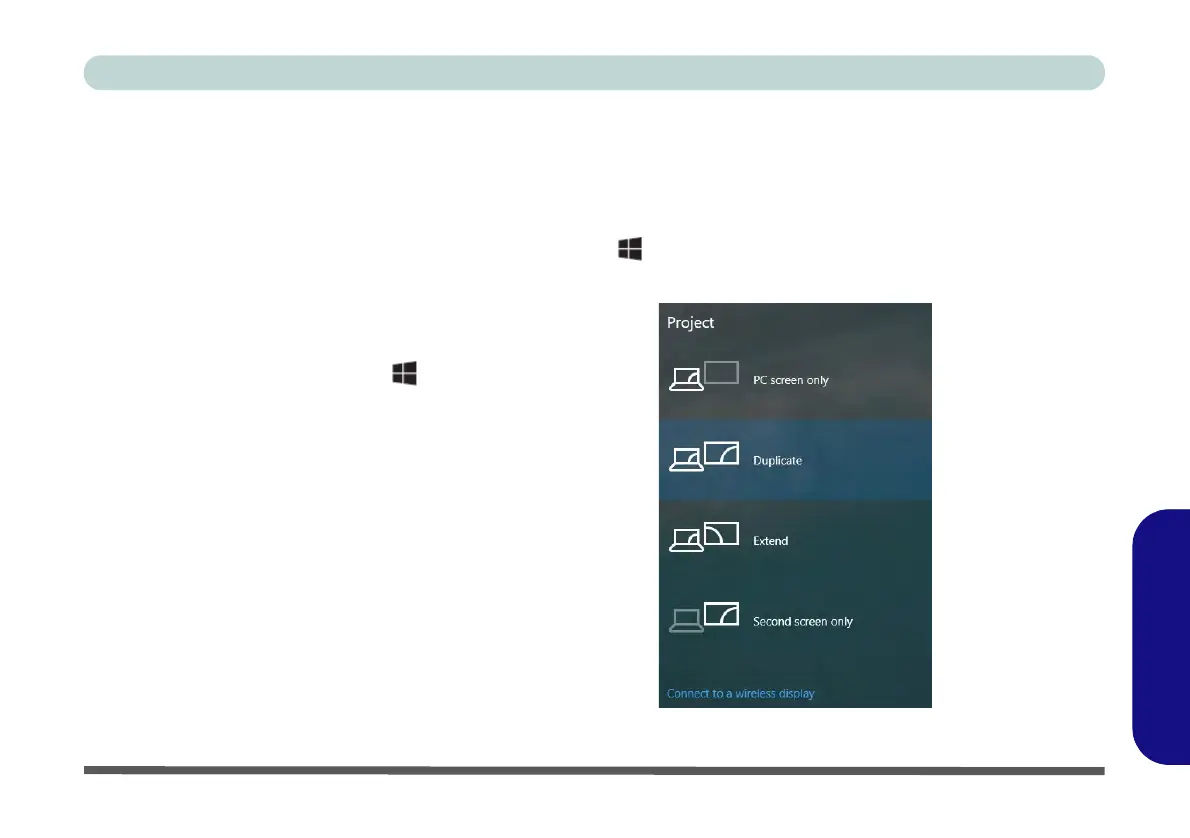
To Configure Displays using Projectt
Figure E - 8 - Project (Devices)
1. Attach your display to the appropriate
port, and turn it on.
2. Press the + P key combination.
3. Click on any one of the options from
the menu to select PC screen only,
Duplicate, Extend or Second
screen only.
4. You can also click Connect to a
wireless display at the bottom of the
Project screen and follow the steps
to connect to any wireless enabled
display.



 To Next Page