E - 10 Video Features
Windows 10
Windows 10
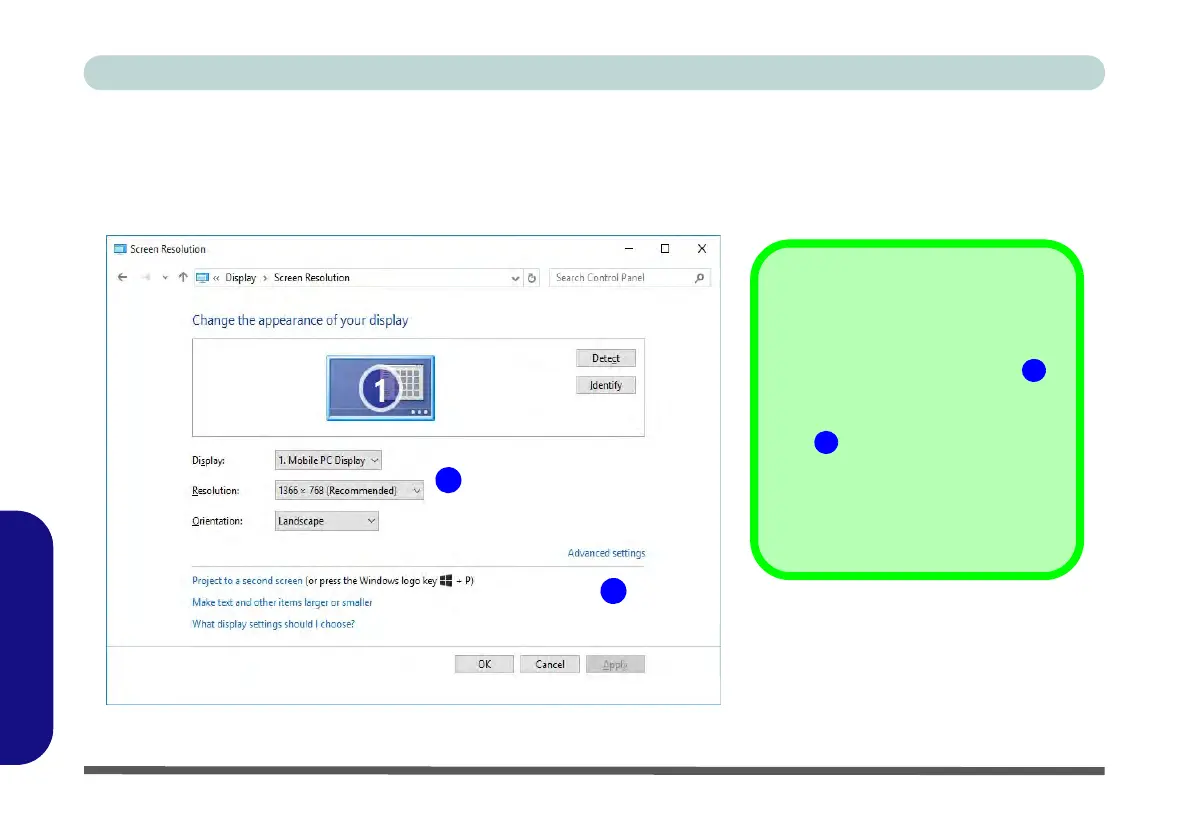
To access Display (Control Panel) and Screen Resolution in Windows:
1. Go to the Control Panel.
2. Click Display (icon) - In the Appearance and Personalization category.
3. Make and changes required from the Display, Resolution, Orientation or Multiple display menus.
4. Click Apply to save the settings.
Figure E - 9 - Screen Resolution
2
1
Screen Resolution
1. Use the dropbox to select
the screen Resolution
(Figure E - 9).
2. Click Advanced settings
(Figure E - 9) to bring up
the Advanced properties
tabs.
3. Click Apply to save any
changes made.



 To Next Page