Modules & Options
PC Camera Module 6 - 5
6
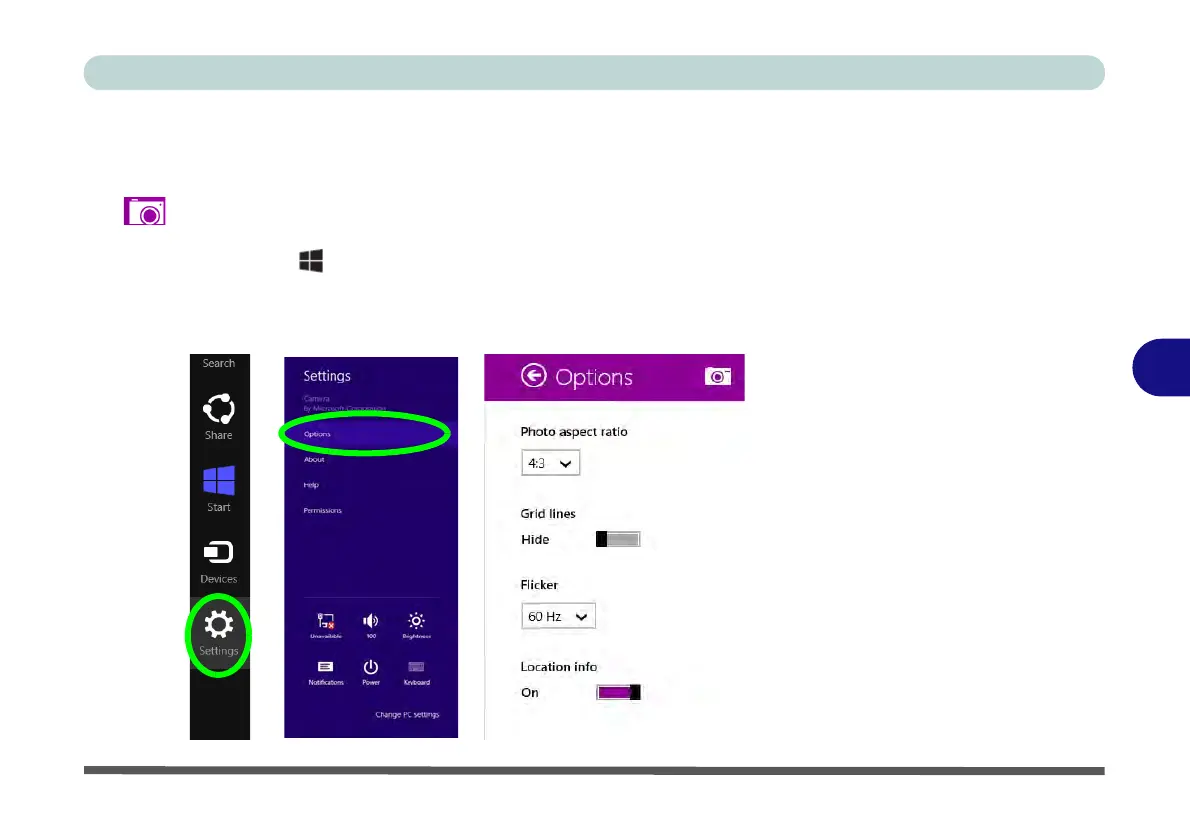
Camera Options
The Camera Options settings may be accessed as follows:
1. Run the Camera app from the Start screen by clicking on the Camera app icon
.
2. While the camera app is running access the Charms Bar (e.g. click Use the
Windows logo key + C key combination).
3. Click Settings and then click Options.
4. You can adjust the Photo Aspect Ratio, Hide/Show grid lines and turn Location
Info on or off from the Options panel.
Figure 6 - 4
Camera Options



 To Next Page