Modules & Options
Bluetooth & WLAN Combo Module 6 - 19
6
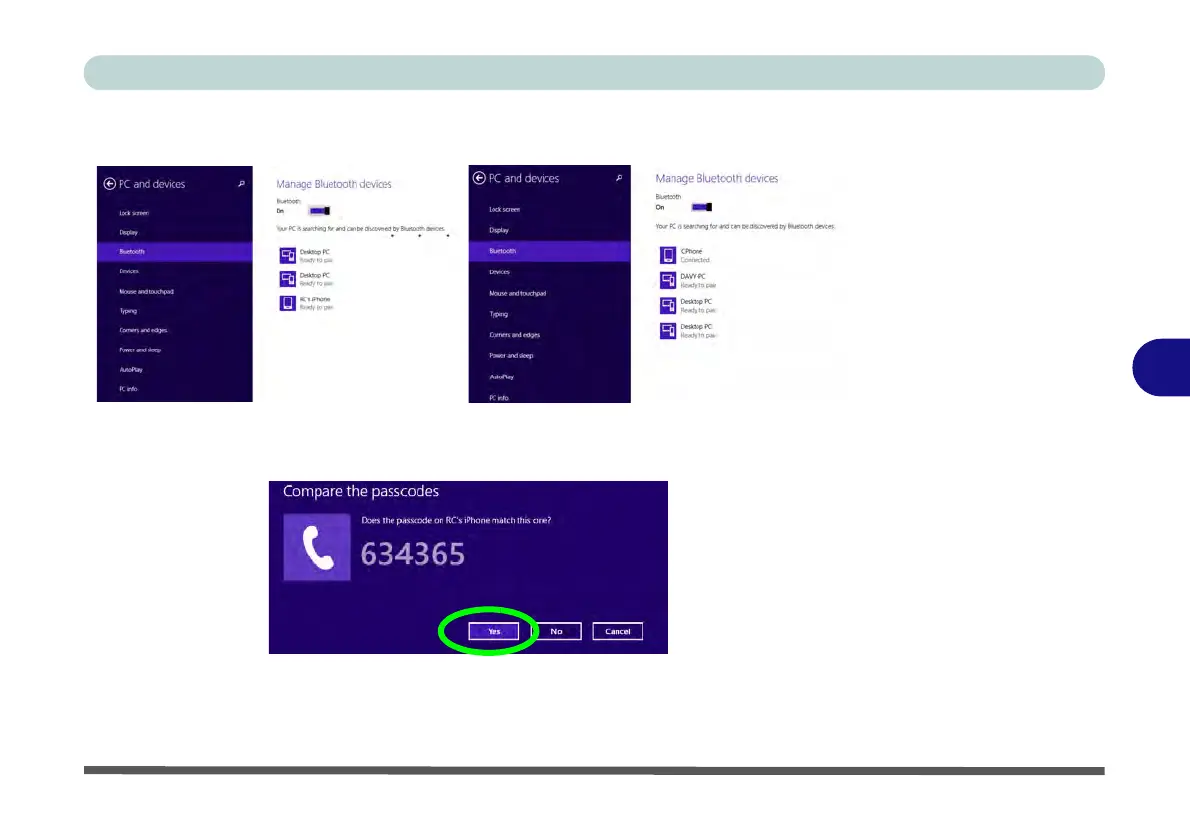
4. Make sure that Bluetooth is turned on and a list of discovered devices will appear.
5. Double-click the device you want to pair with the computer and click Pair.
6. On first connection the computer will provide you with a pairing code to be entered
onto the device.
7. Enter the code into your Bluetooth enabled device and click Yes on the computer
to complete the pairing.
8. Select a device and click Remove Device to disconnect from any device.
Figure 6 - 14
PC and Devices -
Bluetooth
Figure 6 - 15
Enter the Passcode



 To Next Page