Troubleshooting
3G/4G Module PIN Code & Power-Saving 7 - 15
7
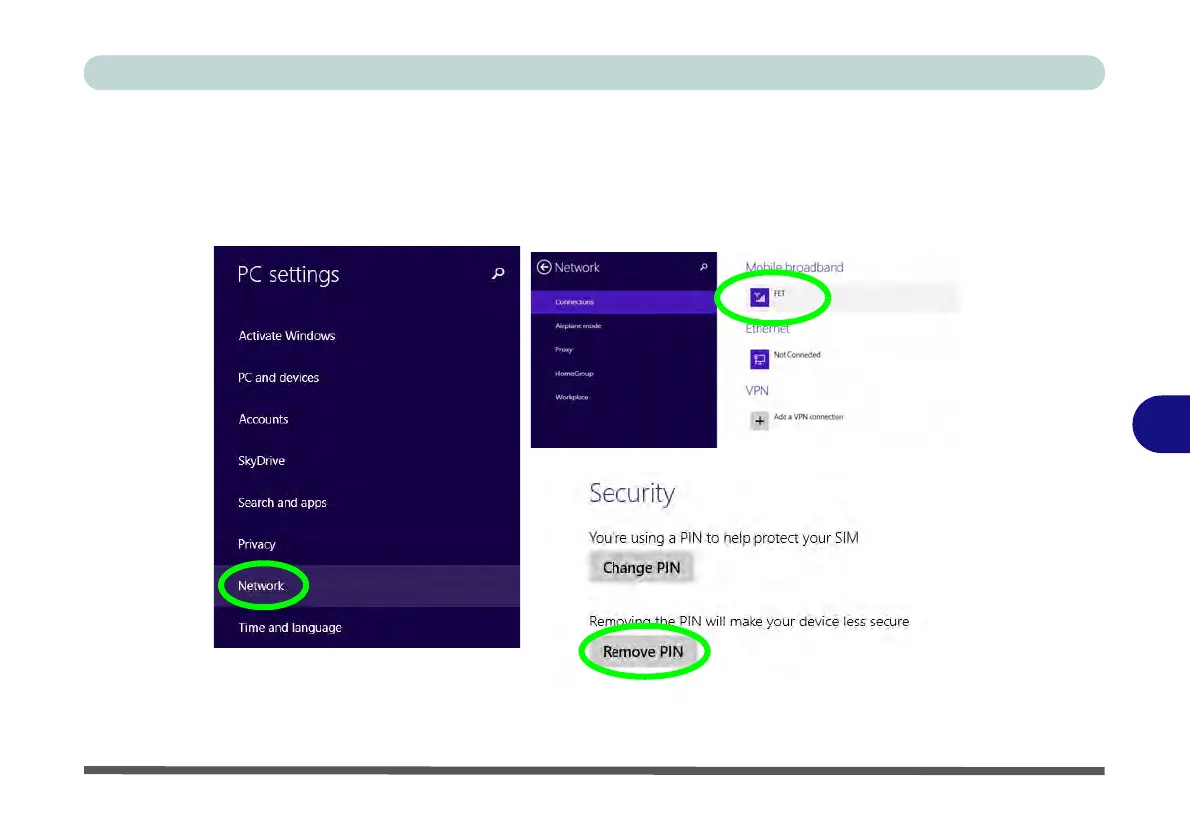
3. Click Network.
4. Click the broadband connection under Mobile Broadband.
5. Scroll down to Security and click Remove PIN.
6. Enter the current PIN number and click OK.
7. It is recommended that you do not Enable a PIN for a 3G/4G module.
Figure 7 - 2 - Disable PIN



 To Next Page