1 - 28 Video Features
Quick Start Guide
1
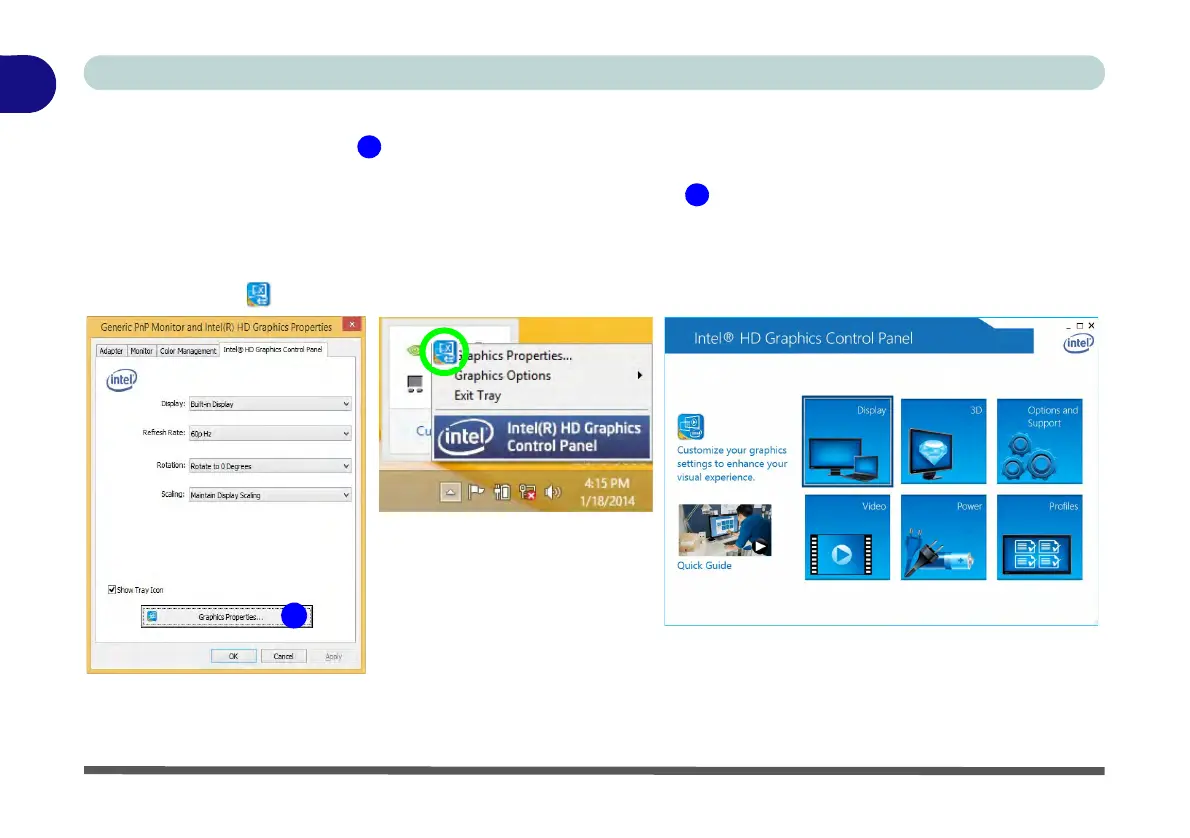
To access the Intel(R) HD Graphics Control Panel:
1. Click Advanced settings (Figure 1 - 19 on page 1 - 27) in the Screen Resolution control panel in Win-
dows.
2. Click the Intel(R)... tab and click Graphics Properties (button) (Figure 1 - 20 on page 1 - 28) .
OR
3. Right-click the desktop and select Graphics Properties from the menu.
OR
4. Click the icon in the notification area of the Desktop taskbar and select Graphics Properties from the menu.
Figure 1 - 20 - Intel Graphics Control Panel



 To Next Page