7
2 PRINTER SETUP
This chapter describes basic setup of the F123 Series.
GENERAL INFORMATION
WELCOME KIT CONTENTS
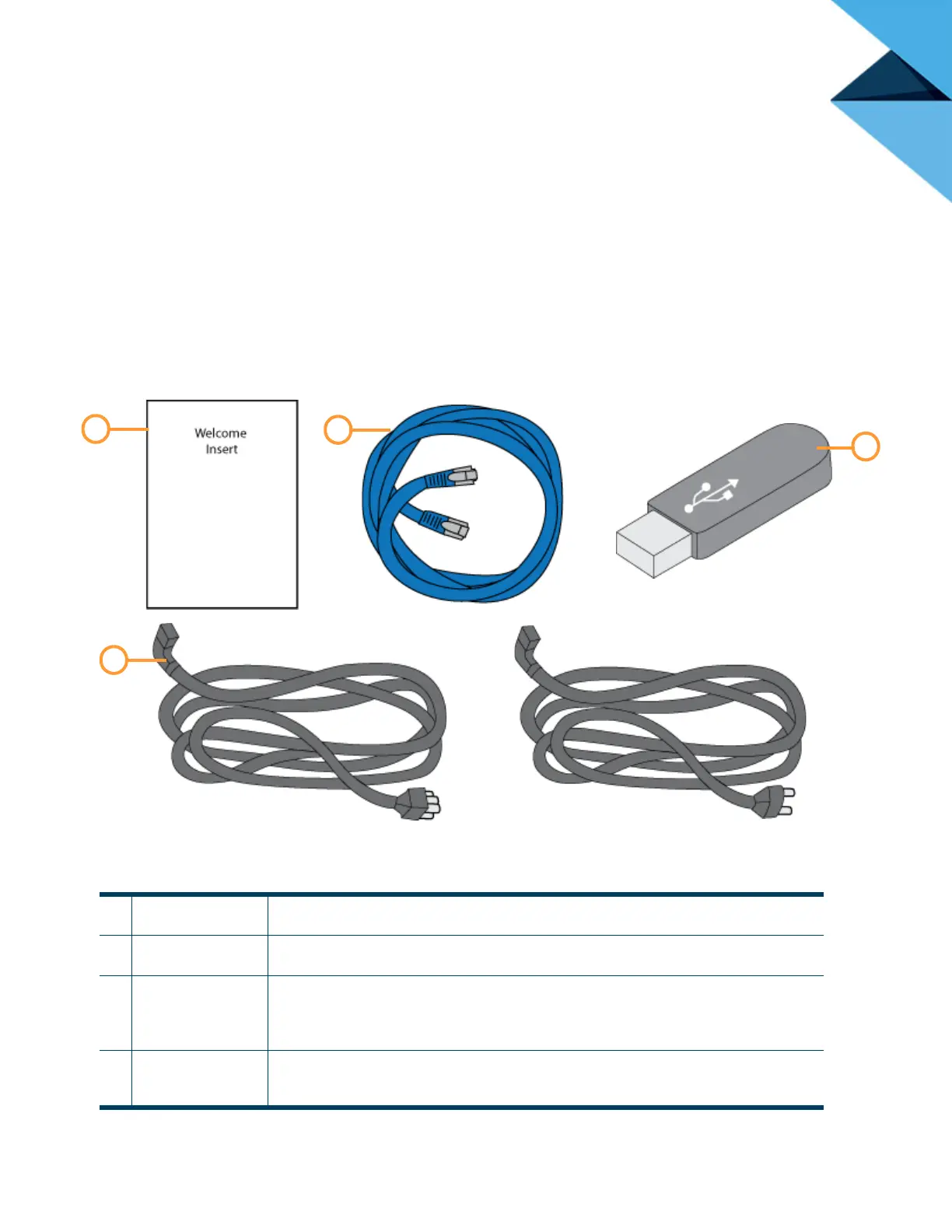
The printer’s Welcome Kit contains the Welcome Insert document and common tools you will need to maintain
the printer. Use the following figures and tables to identify the contents of the Welcome Kit.
Figure 2-1: Welcome Kit Contents - Documents and Cables
Table 2-1: Key for Figure 2-1
1
Welcome Insert
Document
Contains instructions for downloading the F123 Series User Guide (this document).
2
RJ45 Cable This cable is used to establish a network connection between the F123 Series printer and
your Ethernet network. See “Making the Network Connection” on page 13.
3 USB Flash Drive The printer features 3 USB ports (see Figure 3-3 on page 22 for port locations). As an
alternate method to sending job files to the printer via GrabCAD Print, this flash drive can
be used to store processed job files which you build frequently (see “Adding a Job to the
Job Queue” on page 51).
4 AC Cable (US or
Euro)
This cable provides the power connection to the printer. See “Connecting the Power
Cable” on page 13. When connecting the cable, select the cable appropriate for your
location (US cable or Euro cable).
Euro Cable















 To Next Page