13
MAKING THE NETWORK CONNECTION
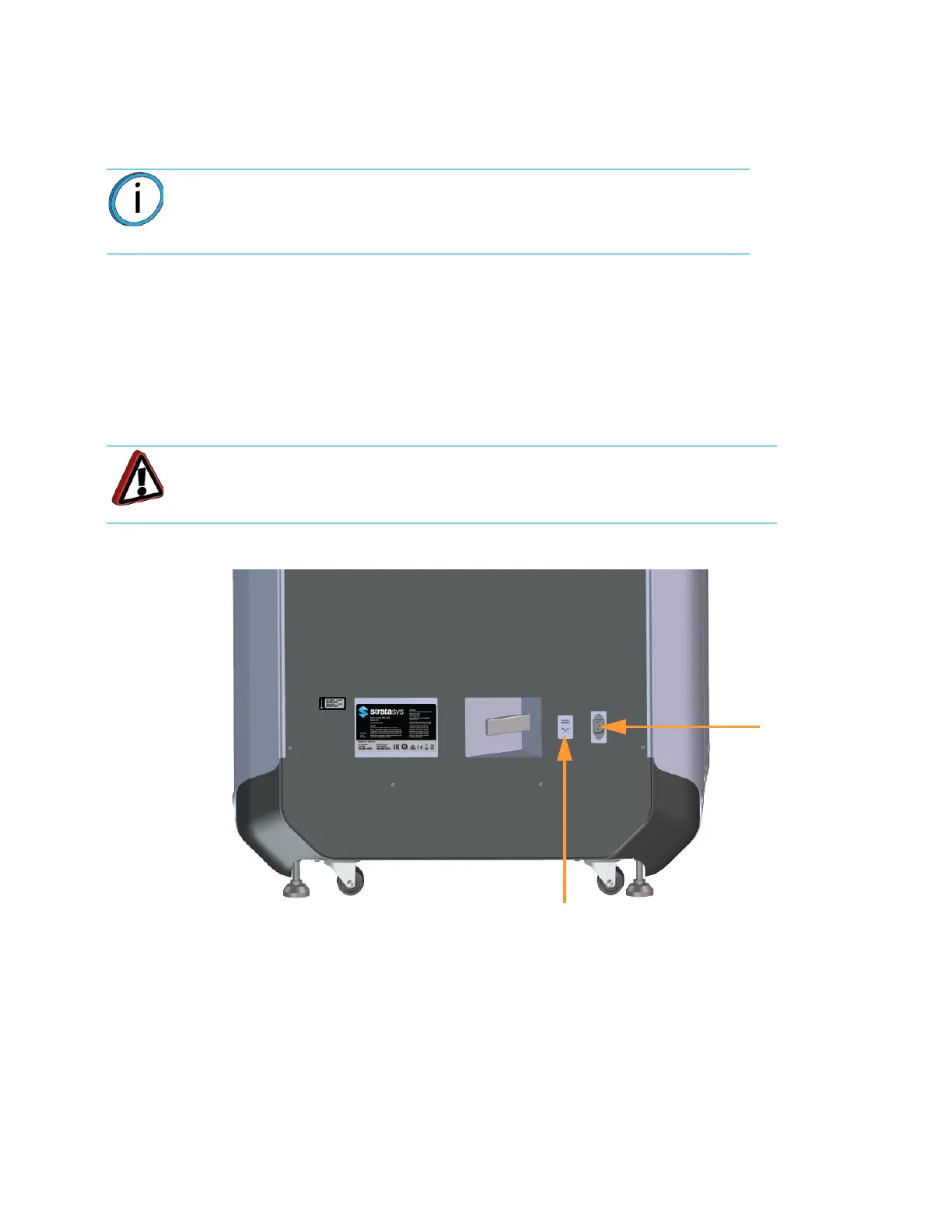
Processed job files can be transferred from GrabCAD Print to the F123 Series printer through your facility’s
Ethernet network. An RJ45 network connector is located on the right, rear corner of the printer (as viewed from
the rear). See Figure 2-7 for the network connection location.
CONNECTING THE POWER CABLE
To connect the power cable:
1. Connect the male end of the supplied power cord (US or Euro) directly into a grounded electrical
outlet.
2. Connect the female end of the power cord directly into the socket located on the back of the
printer (see Figure 2-7).
Figure 2-7: Rear Connections
Note: A 15 foot (4‘.6m) network patch cable is supplied with the printer and
located in the welcome kit. Facilities having network connection points
further from the printer than can be reached by the supplied cable are
responsible for the procurement of an appropriate cable.
Warning: The power cord serves as the disconnect device. The socket outlet
must be easily accessible.
Ethernet Network
Power Cable
Connection















 To Next Page