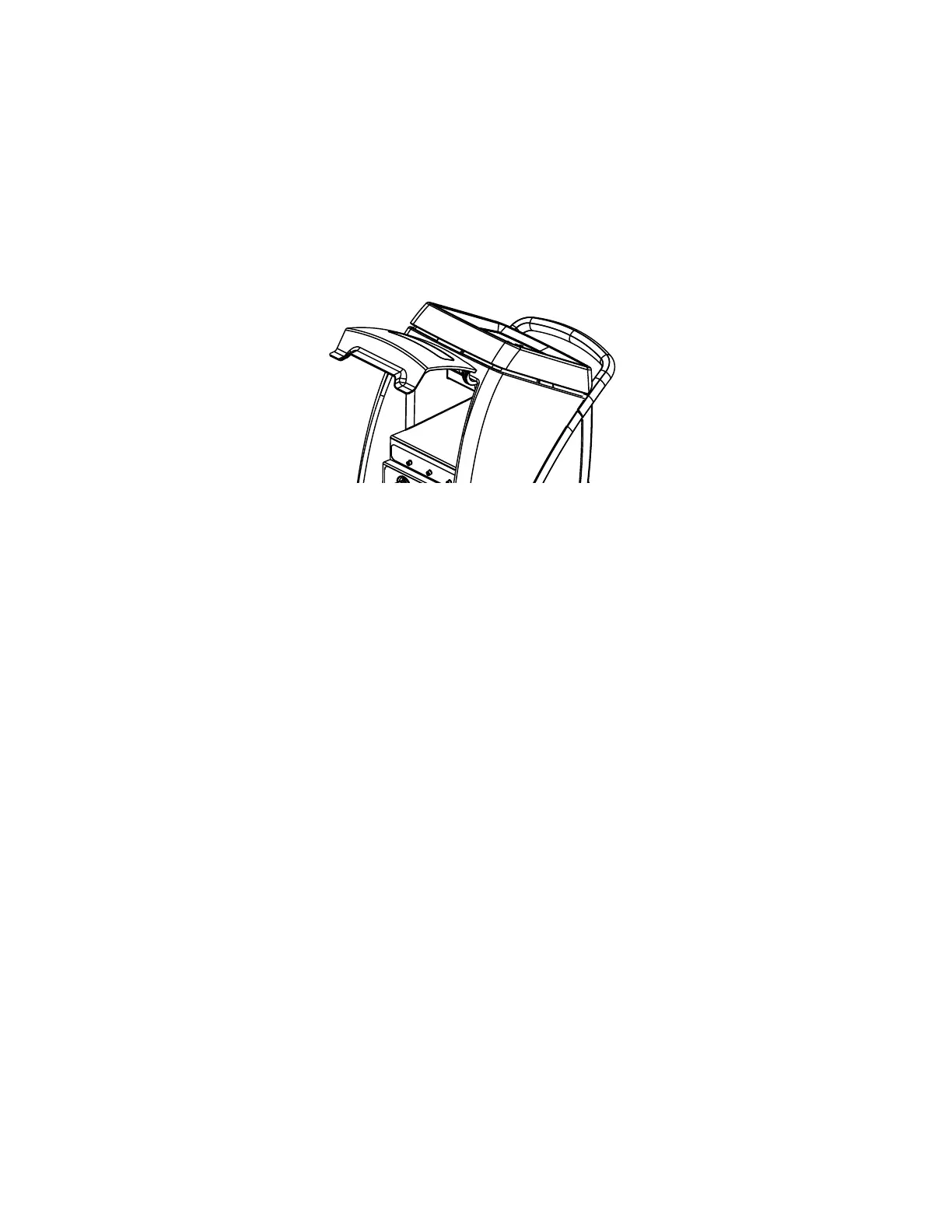
OOppeenniinngg aanndd sseeccuurriinngg iitteemmss iinn tthhee ssttoorraaggee ccoommppaarrttmmeenntt
The storage compartment holds a maximum of 3 lb (1.36 kg).
To open the storage compartment door, lift up on the door (Figure 20).
The storage compartment secures the following items:
• Two patient probes
• Two reusable adapter cables
• One reusable patient temperature output cable
• Product operations manual
FFiigguurree 2200 –– SSttoorraaggee ccoommppaarrttmmeenntt
NNoottee
• Make sure that the items are securely inside the compartment and not blocking the magnets.
• When closing the storage compartment door, do not place your fingers between the storage compartment door and the
sides of the controller.
SSttooppppiinngg tthheerraappyy oorr ppoowweerriinngg ooffff tthhee pprroodduucctt
To stop therapy or power off the controller:
1. Press and hold the Stand-by button for two seconds.
2. Unplug the product from the wall outlet.
NNoottee -- If storing the product, see
Storing the controller
(page 34).
DDrraaiinniinngg tthhee tthheerrmmaall ttrraannssffeerr ddeevviicceess
Read the manufacturer’s operations manual for the individual thermal transfer devices (blankets and wraps) for warnings,
cautions, and safe operating instructions before use. Make sure that you drain the hoses before you put them in storage.
1. Unplug the product.
2. Remove the thermal transfer device from the patient.
3. Open the clamps on the hoses and thermal transfer devices, if applicable. See Figure 14.
4. Raise the thermal transfer devices attached to the hose above the ports on the controller. Gravity helps to drain the
water into the controller.
5. Allow most of the water to drain back into the controller. (Approximately 10 minutes).
6. See
Connecting and disconnecting thermal transfer devices
(page 22).
7. See
Disconnecting the insulated hoses
(page 22).
8. See
Storing the power cord and hoses
(page 33).
8001-109-001 Rev C.0 31 EN









 To Next Page