US-28
DE
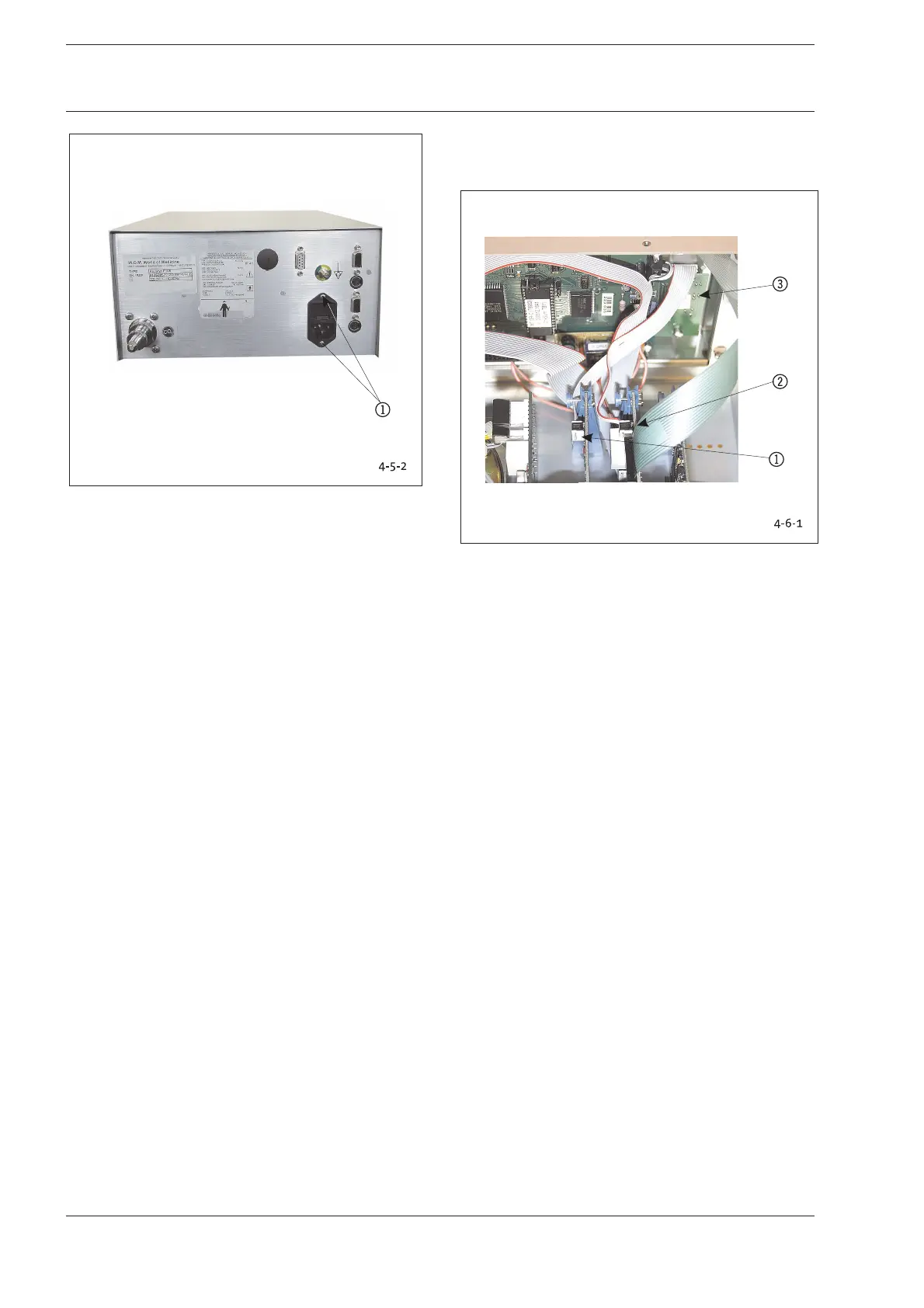
Fig. 4-5-2: Non-Heating Device Mounting Screws
1 Non-Heating Device Mounting Screws
Conduct the following test after replacing modules or
components:
1. Switch on device and perform function check.
3. Safety test according to Chapter 2-1.
4-6 Panel Board (ON/OFF Key)
Replace panel board or remote control if malfunctioning ON/
OFF key.
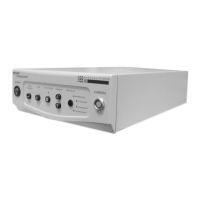
Fig. 4-6-1: Position Panel Board (ON/OFF Key)
1Plug-in Connector to Basic Module BAM 01
2 Plug-in Connector to I/O Module IOM 01
3 Panel Board
1. Remove the electrical plug-in connectors 12..
2. Unscrew two nuts and washers 3.
3. Remove board.
Reverse instructions to install elements.
Conduct the following tests after replacing modules or
components:
1. Remote control test, installation check, function test,
display.
2. Safety test, Chapter 2-1.
4 Replacing Components 4 Replacing Components










 To Next Page