14
Connecting an IRIS Ureteral Kit
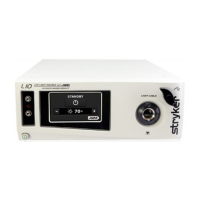
To activate IRIS mode, an IRIS Ureteral Kit (0220-180-518) must be connected
to the light source. White Light mode and ENV mode do not require
connection to an IRIS Ureteral Kit.
The IRIS connectors on the light source emit a Class1 laser
when IRIS mode is activated. To assure proper and safe laser
application in IRIS mode, connect only the Stryker IRIS Ureteral
Kit to the IRIS connectors. Do not attempt to use any other ber
optic light guides or emitting bers.
Do not attempt to operate the light source with an IRIS Ureteral
Kit that is cut or damaged. If the IRIS Ureteral Kit breaks during
operation, disable IRIS mode, then replace the Kit.
Before connecting or using an IRIS Ureteral Kit, read and
be familiar with all warnings in this user manual and the
IRIS Ureteral Kit user manual (P26059). Use of controls or
performance of procedures other than those specied can
result in hazardous laser radiation exposure.
To connect an IRIS Ureteral Kit:
1. Make sure the light source is powered o, or place it in Standby mode
and disable IRIS mode.
2. Insert the light source ends of both bers into the IRIS connectors on the
front panel of the light source.










 To Next Page