
 To Next Page
L
Lisa SalinasAug 4, 2025
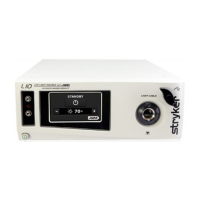
What to do if Stryker L10 Medical Equipment touchscreen is frozen?
- DDarlene MartinAug 5, 2025
If the touchscreen on your Stryker Medical Equipment is frozen, turn off the console, wait 30 seconds, and then turn it back on.

What to do if Stryker L10 Medical Equipment touchscreen is frozen?
If the touchscreen on your Stryker Medical Equipment is frozen, turn off the console, wait 30 seconds, and then turn it back on.
How to fix flickering light in Stryker L10 video?
To fix flickering light in the video of your Stryker Medical Equipment, ensure the light cable is properly connected to the L10 AIM Light Source. If the issue persists, place the light source in Standby mode and disable ENV mode, then remove the light cable from the light source and reattach it.
What to do if Stryker L10 has no output in White Light mode?
If your Stryker Medical Equipment has no output in White Light mode, check the following: * Ensure the AC power cord is properly connected to a hospital-grade power outlet and the inlet on the rear console panel. * Ensure the power switch on the front panel is powered on (it will illuminate when powered on). * Ensure all fuses are operating. * Ensure the light cable is correctly engaged with the cable port, as the light source will provide no light output unless the light cable is properly seated. * Check that vents are not obstructed.
How to advance past Advanced Imaging Modality screen on Stryker L10 Medical Equipment?
If you cannot advance past the Advanced Imaging Modality screen on your Stryker Medical Equipment, check the connection of the disposable fiber (to activate IRIS mode) and the connection of the AIM SafeLight cable and 1588 AIM Camera Control Unit (to activate ENV mode).
General safety warnings for user and patient.
Specific safety notices regarding laser radiation.
 General
| Category | Medical Equipment |
|---|---|
| Type | Surgical Light |
| Light Source | LED |
| Diaphragm Control | Yes |
| Power | 100-240 VAC, 50/60 Hz |
| Shadow Management | Yes |
| Lux | 160, 000 Lux |