29
Troubleshooting
Problem Possible Solution
No output in
White Light
mode
• Ensure the AC power cord is properly connected to
a hospital-grade power outlet and the inlet on the
rear console panel.
• Ensure the power switch on the front panel is
powered on. (It will illuminate when powered on.)
• Ensure all fuses are operating. See the Replacing
the Fuses section of this manual for further
instructions.
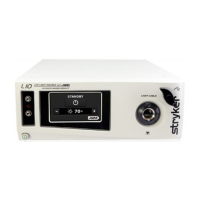
• Ensure the light cable is correctly engaged with
the cable port. As a safety feature, the light source
will provide no light output unless the light cable is
properly seated in the cable port.
• Check that vents are not obstructed.
Too much
or too little
output in
White Light
mode
• Ensure the light cable is correctly engaged with the
cable port.
• Ensure that White Light mode is activated. (The
brightness level should appear on the LCD.)
• If necessary, press the White Light touchscreen
power button to switch from Standby to Active. If
the unit remains in Standby: (1) Ensure the light
cable is correctly engaged with the cable port.
(2) Ensure the light cable is attached to the scope
using the appropriate scope adapter.
• Ensure the light cable can transmit light properly.
While the cable is completely disconnected, hold
the light-source end of the cable up to an overhead
room light and look into the scope end of the
cable. If the pattern contains any black spots, the
light cable may be worn out and may require
replacement.
Excessive glare
in the video
• Ensure the electronic shutter on the camera is
operating properly to control the video signal
brightness.
• Decrease the White Light brightness level.










 To Next Page