15
Operation
Before operating the light source, read and be familiar with all
warnings in this user manual. Failure to follow these warnings
can result user or patient injury.
Before operating the L10 AIM Light Source, ensure all system components
have been set up according to the instructions in the Setup section.
ENV mode requires all of the equipment listed in the ENV Mode Requirements
section in order to achieve the intended results.
IRIS mode requires all of the equipment listed in the IRIS Mode Requirements
section in order to achieve the intended results.
Powering the Console On and O
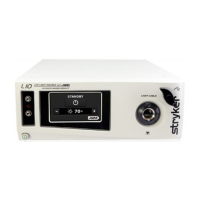
1. To power on the console, press the power button on the front panel. The
touchscreen will display the default White Light screen and indicate that
the light source is in Standby mode.
Note: The light source will not illuminate unless a light cable is
connected to the cable port.
2. To power o the console, press the power button on the front panel.










 To Next Page