21
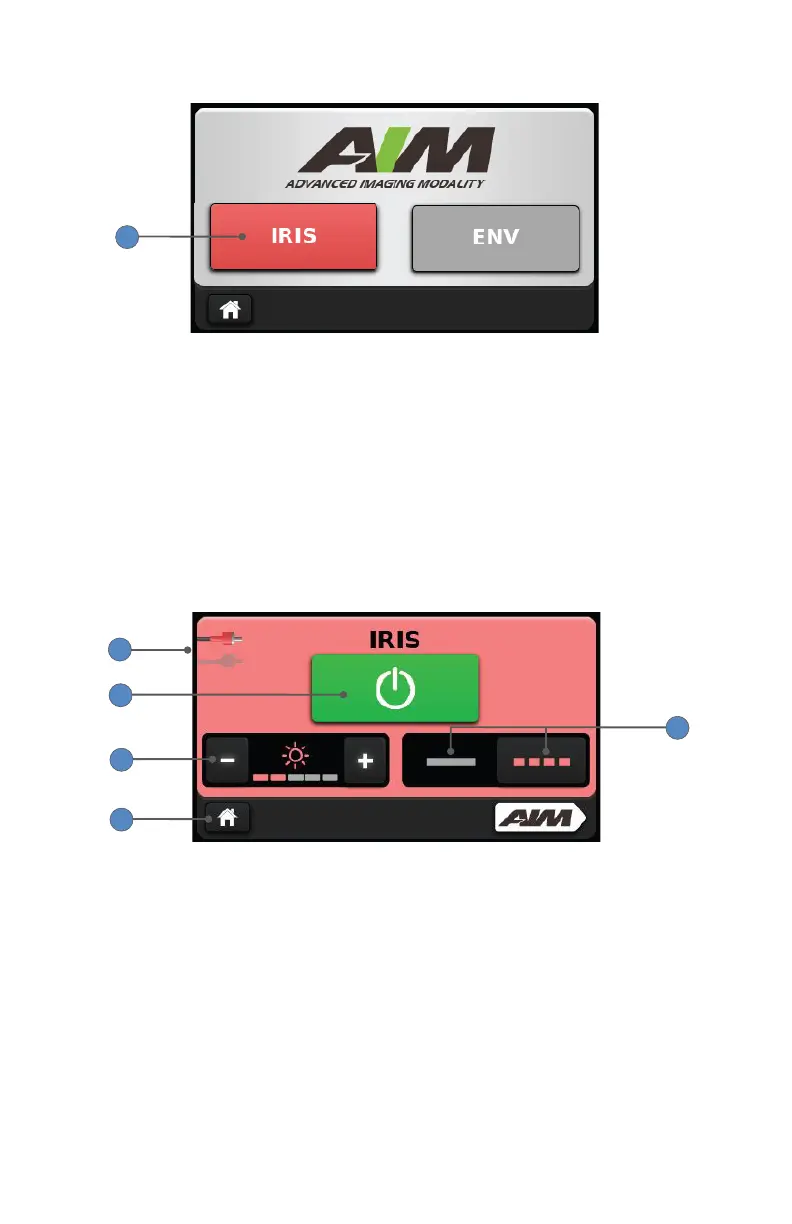
4. On the Advanced Imaging Modality screen, press the IRIS mode button.
4
Note: When the IRIS mode button is red, the L10 AIM Light Source
is properly connected to the IRIS Ureteral Kit and IRIS mode can be
activated. If the IRIS mode button is gray, required equipment may not
be properly connected and IRIS mode is not available. Refer to the Setup
section.
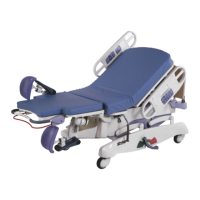
5. On the IRIS mode screen, press the touchscreen power button so it
appears green, which indicates the mode is activated.
Note: Press the touchscreen power button again to disable IRIS mode;
the button will appear gray.
1
7
6
8
5
6. Adjust the IRIS brightness level by pressing the plus or minus buttons.
7. Press the solid line or the dotted line to toggle the IRIS light output
between the continuous or pulsating setting, respectively.
• In the continuous setting, the laser energy is continuous.
• In the pulsating setting, the laser energy pulses in a repeating pattern
of 0.5 second on/0.5 second o (1 pulse cycle per second).
8. Press the Home button to return to the White Light screen.










 To Next Page