pg 24
Configuring cloudburst to Use MIDI (continued)
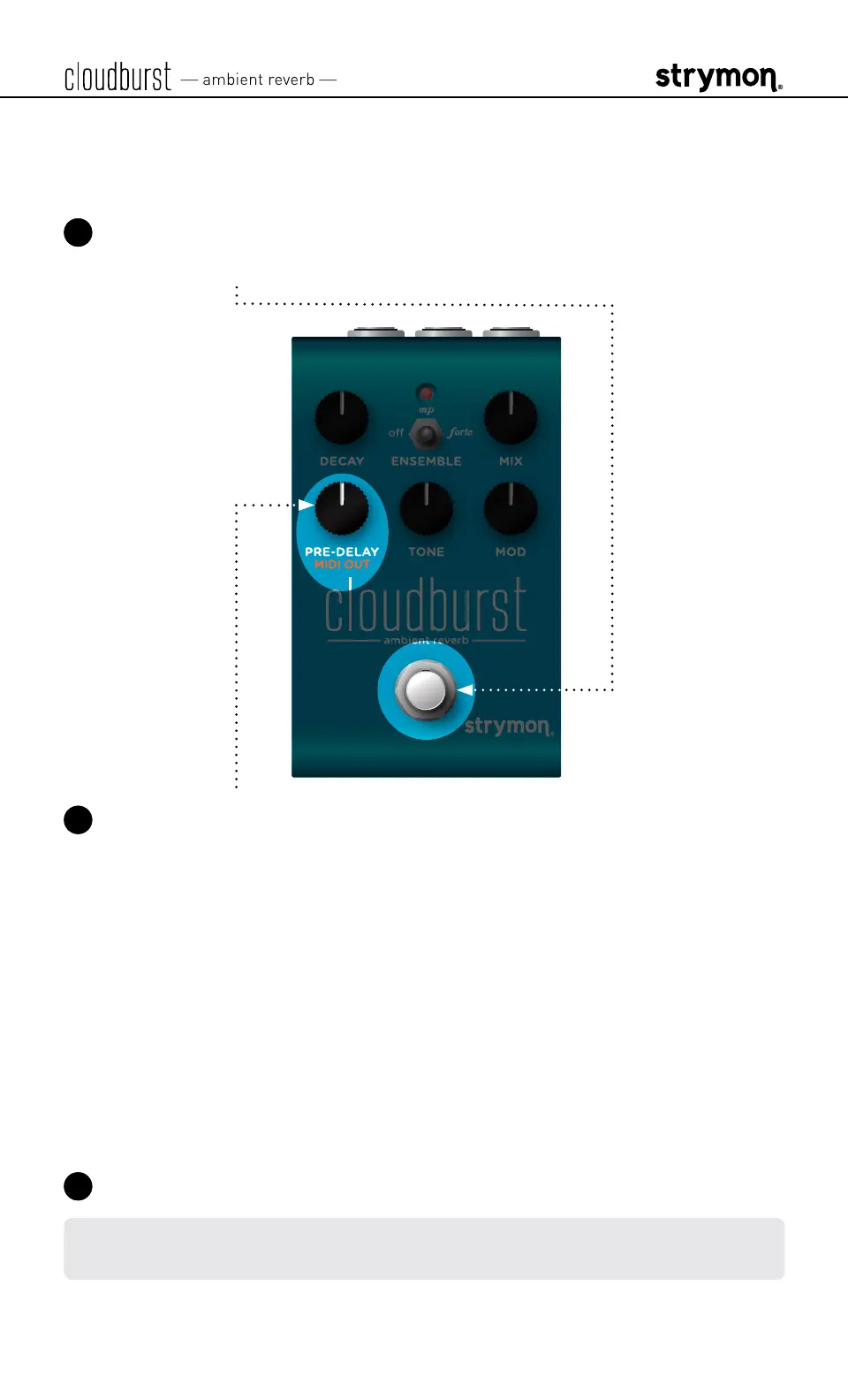
STEP 3 SET MIDI OUT MODE
1 Press and hold the footswitch for at least 2 seconds while powering
up cloudburst� Once the LED flashes, release the footswitch�
2 Turn the PREDELAY (MIDI OUT) knob to select what kind of MIDI
data is sent from cloudburst to other MIDI devices� The LED will flash
momentarily to indicate your selection�
• OFF: RED (default, minimum) - No MIDI messages are sent out of
cloudburst�
• THRU: BLUE
(11 o’clock)
- Incoming MIDI messages are sent to
the MIDI Out without any additional MIDI messages generated by
cloudburst�
• SEND CC, OTHER: GREEN
(1 o’clock)
- MIDI CC and Sysex
messages generated by
cloudburst
are sent to the MIDI Out�
• SEND OTHER: AMBER
(maximum)
- Sysex messages generated
by
cloudburst
are sent to the MIDI Out�
3 Press the footswitch to store the MIDI Out Mode and exit�
NOTE: MIDI data is sent from the RING of the TRS connection of the EXP/
MIDI jack�



 To Next Page