pg 11
Power Up Modes
Configuring the EXP/MIDI Jack
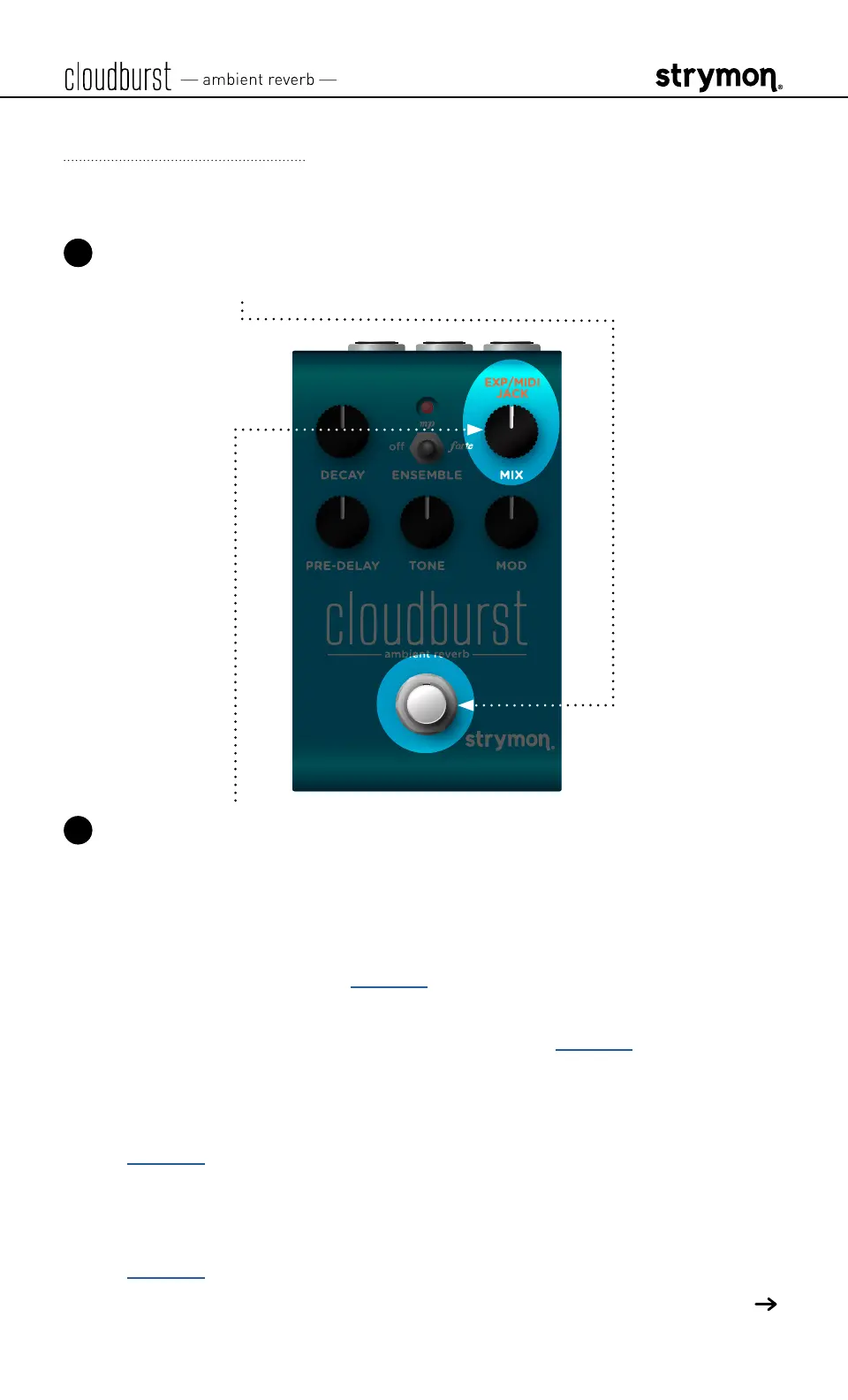
1 Press and hold the footswitch for at least 2 seconds while powering
up cloudburst� Once the LED flashes, release the footswitch�
2 Turn the MIX (EXP/MIDI JACK) knob to select the function of the rear
panel’s EXP/MIDI jack� The LED will change color to indicate the
current status as you turn the knob�
• Expression Pedal Mode: GREEN (default, minimum) - Using a
standard TRS expression pedal, allows continuous control over
any of the knobs� (See page 13 for details�)
• Favorite Mode: AMBER (11 o’clock) - Using a Strymon MiniSwitch,
allows you to recall a Favorite setting� (See page 14 for details�)
• Freeze Mode: RED (12 o’clock) - Using a Strymon MiniSwitch,
allows for infinitely sustained reverberation of the current input
signal without new notes played being added to the reverb� (See
page 16 for details�)
• Infinite Mode: PURPLE (2 o’clock) - Using a Strymon MiniSwitch
allows for infinitely sustained reverberation of the current input
signal with new notes played also being added to the reverb� (See
page 16 for details�)
(Continued, next page )



 To Next Page