Black plate (137,1)
北米Model "A2440BE-A" EDITED: 2006/ 12/ 6
tial illumination when regular illumina-
tion (for driving) has begun.
!
Date/Time settings
S03BE1202
The following items can be set or regis-
tered in the “Date/Time” setting menu.
.
Present date & time
.
Birthday
.
Anniversary
NOTE
To enter “Birthday” and “Anniversary”,
“Present date & time” must be set.
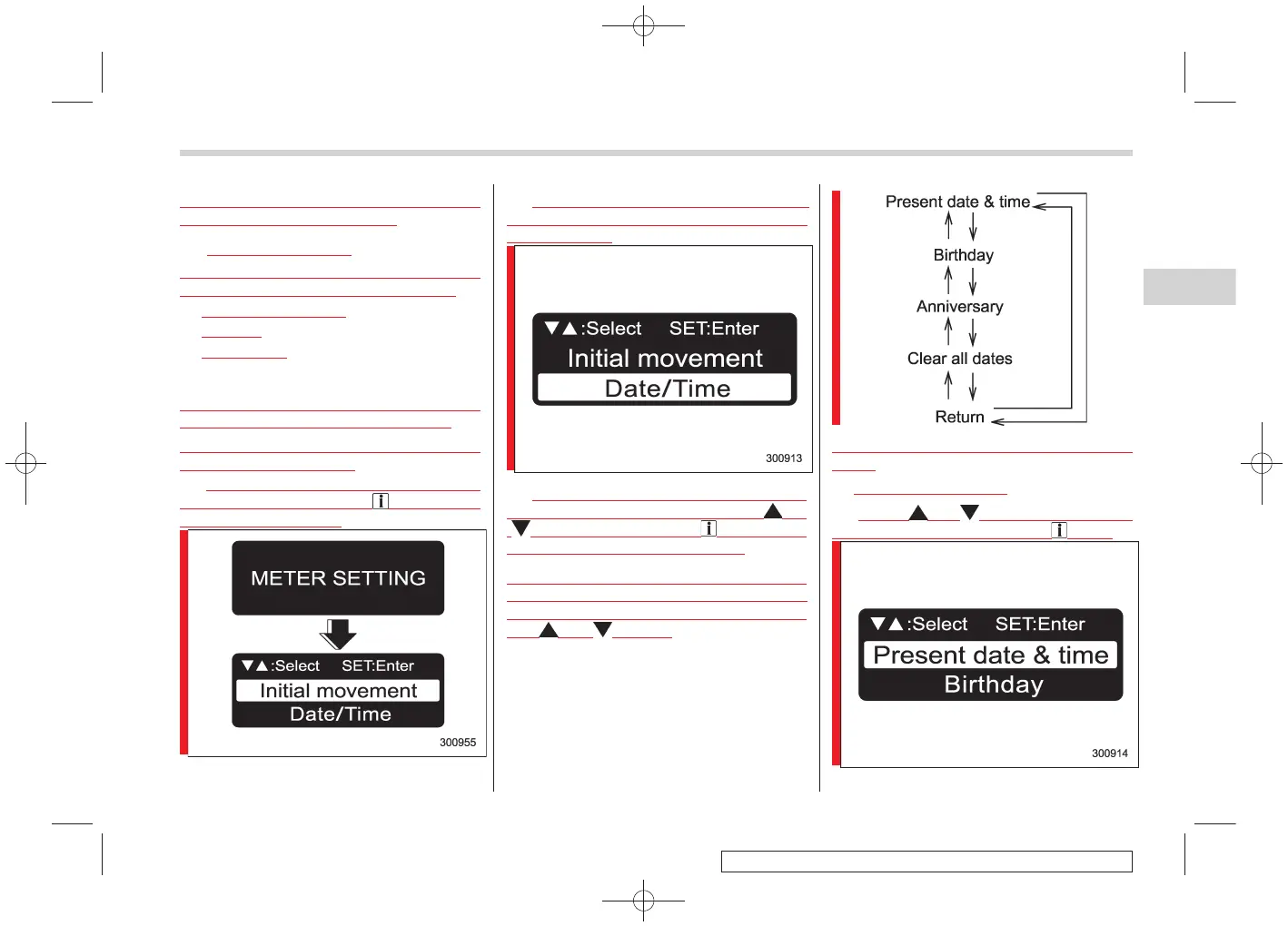
To enter the “Date/Time” setting menu,
take the following steps.
1.
Within 12 seconds after turning on the
ignition switch, press the “ /SET” switch
for at least 2 seconds.
2. The display shows “ METER
SETTING”, and then changes to the
setting screen.
3. When the setting screen is displayed,
select “Date/Time” by pressing the “ ” or
“ ” switch. And press the “ /SET” switch
to enter the “Date/Time” settings.
After the Date/Time setting screen has
been d isplayed, the dis play can be
switched as shown below by pressing
the “ ” or “ ” switch.
Refer to the following procedure for further
steps.
!
Present date & time
S03BE120201
1. Press “ ” or “ ” until “ Present date &
time” is displayed, and press “ /SET”.
Instruments and controls 3-17
– CONTINUED –
3















 To Next Page