8-6
8. Administrator mode|Lock functions
8. Administrator mode
●
Lock the settings (individual)
An administrator can lock various settings on item by item basis so an operator
cannot edit them.
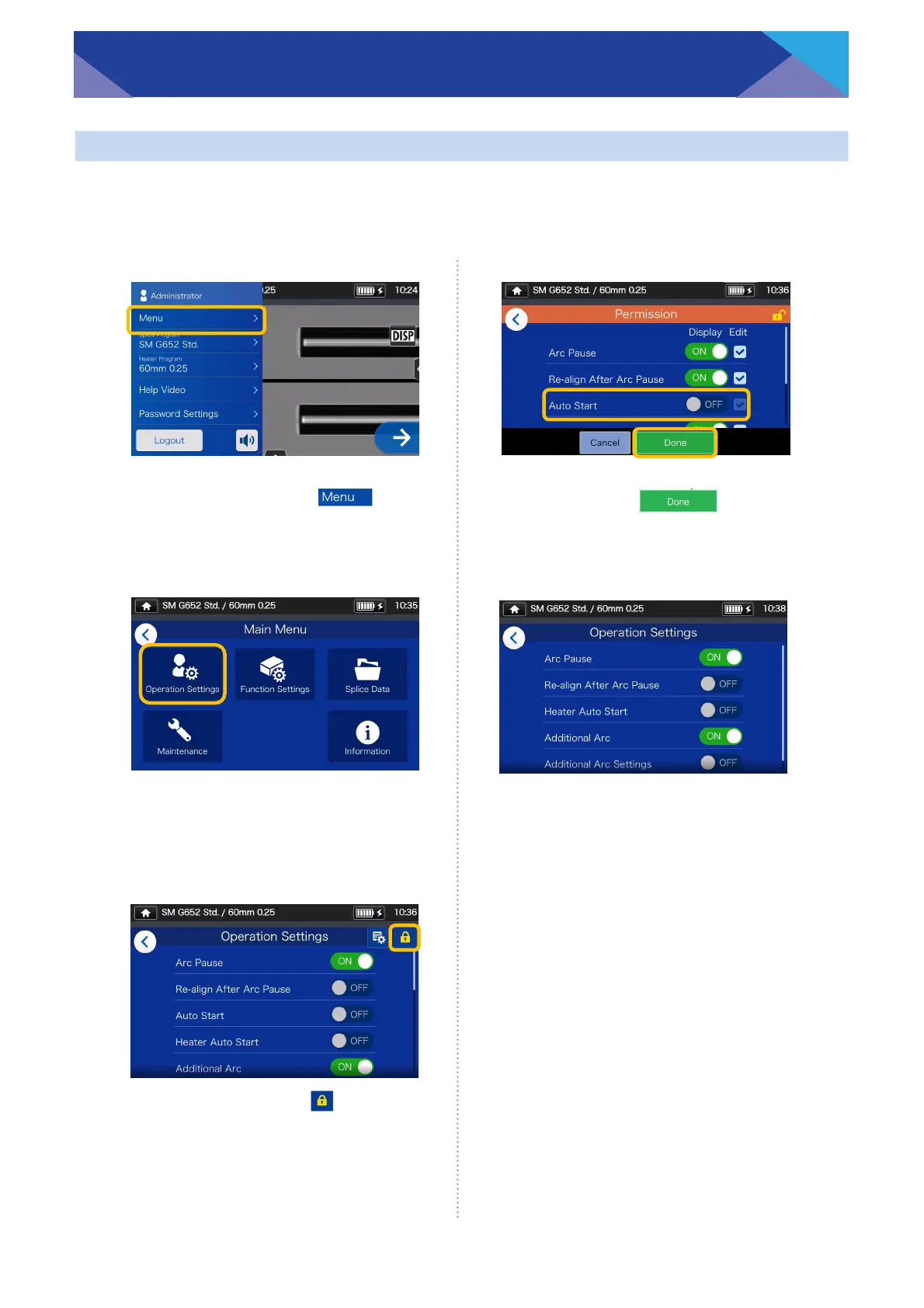
1: Open the Administrator settings
panel. Tap “Menu”( ).
2: From the Menu screen, select
“Operation Settings”.
3: Tap the lock icon().
5: The lock setting is completed.
After you log out of
Administrator mode, the item
which has been locked
becomes hidden.
In this example “Auto Start”
is not shown on the Settings
screen.
4: Toggle off an item, and then
tap “Done” ( ).
This example shows “Auto
Start” is toggled off.



 To Next Page