6-4
6. Functions|Operation Settings
6. Functions
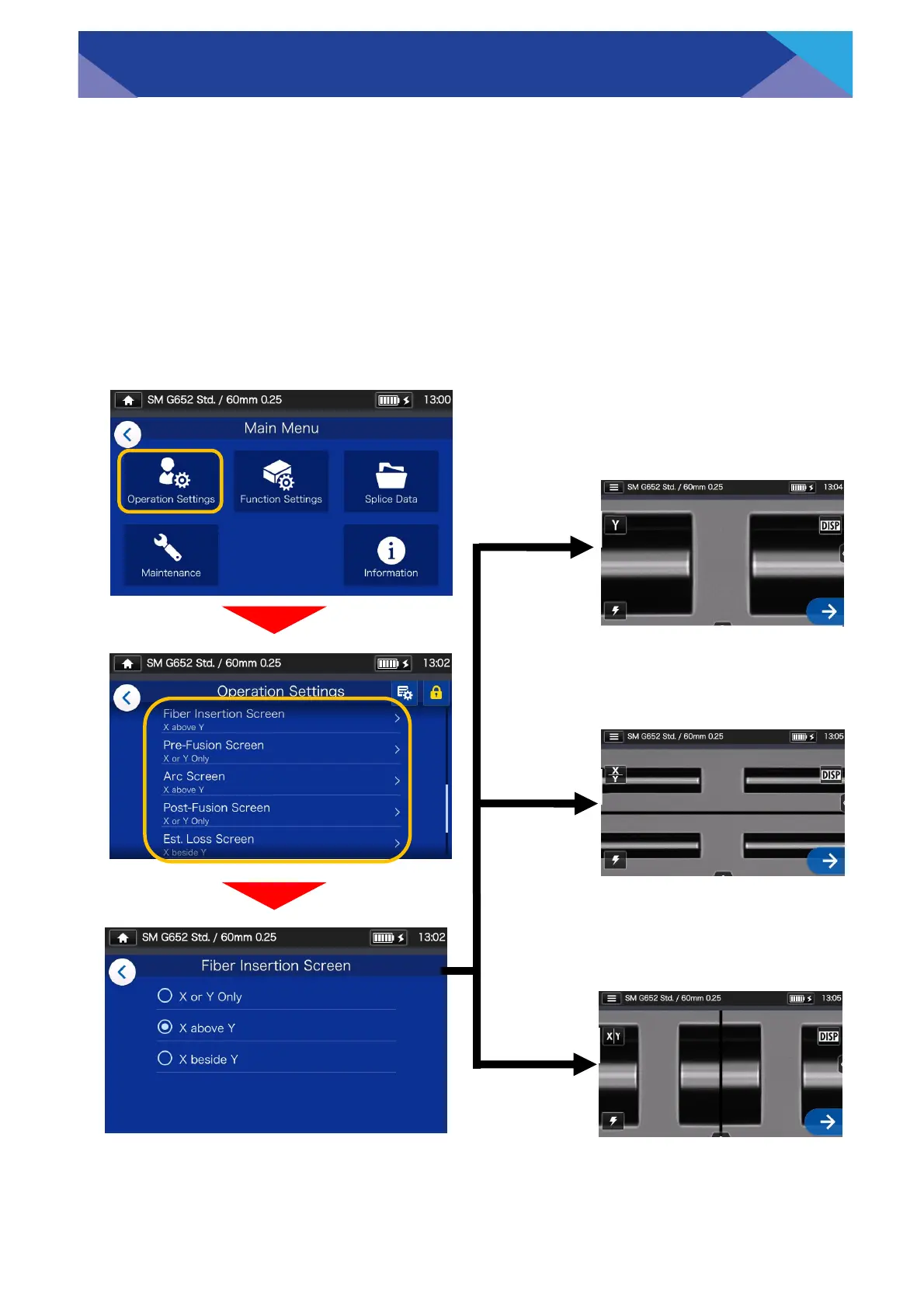
Log in to Administrator mode. From the Operation Settings, you can choose a view
of the fibers for the 5 stages of the splicing process.
・Fiber Insertion Screen
・Pre-Fusion Screen
・Arc Screen
・Post-Fusion Screen
・Est. Loss Screen
■ Splicing process screen setup(Available in Administrator mode)
If “X or Y only” is selected,
X or Y screen is displayed
on the screen.
If “X above Y” is selected,
X and Y screens are verti-
cally displayed on the
screen.
If “X beside Y” is selected,
X and Y screens are hori-
zontally displayed on the
screen.
X or Y only
X above Y
X beside Y



 To Next Page