36 Sun Fire X4150, X4250 and X4450 Servers Windows Operating System Installation Guide • January 2009
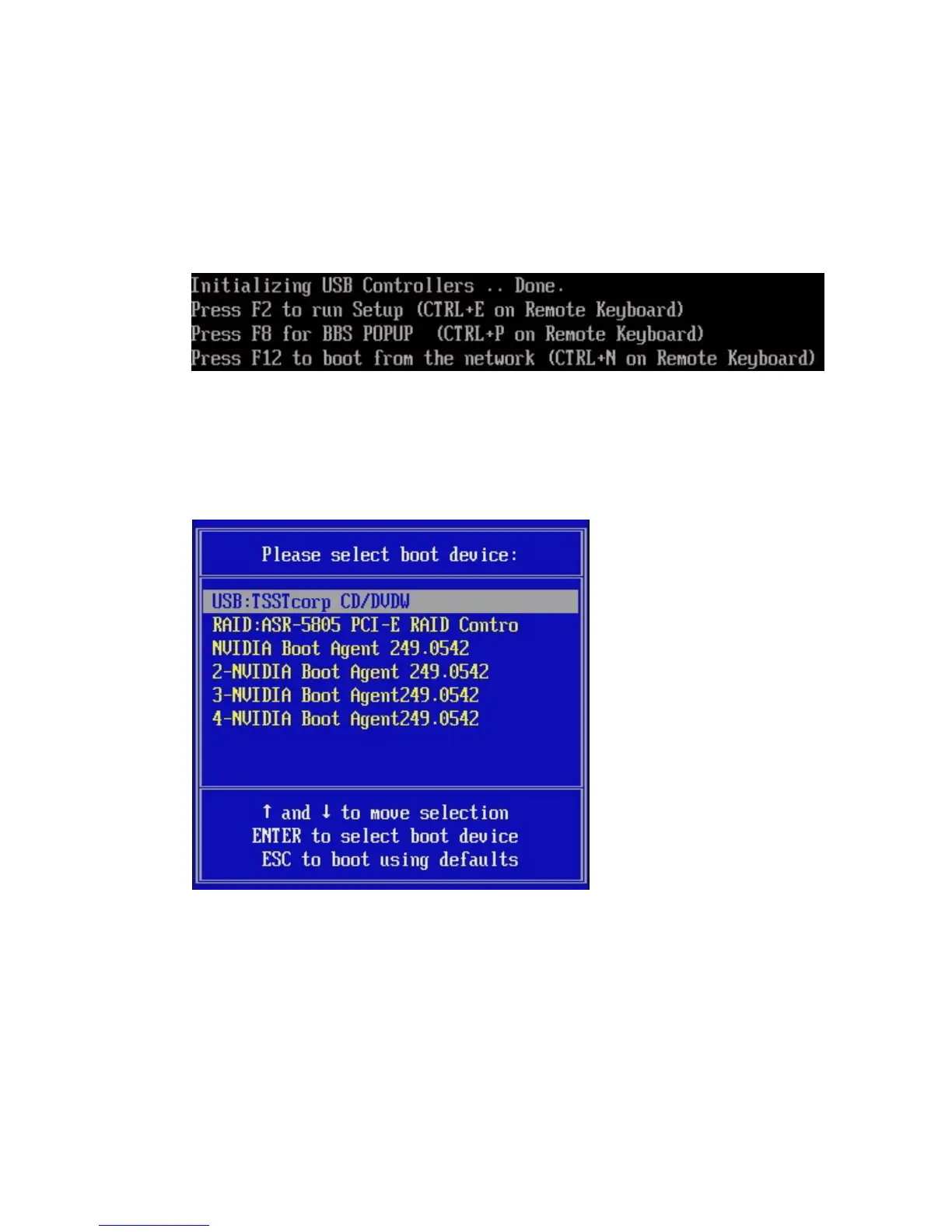
3. Press F8 when the Press F8 for BBS POPUP prompt appears on the BIOS
POST screen (see
FIGURE 6-2).
The BBS POPUP menu will allow you to select a boot device.
FIGURE 6-2 F8 Prompt Example
4. Once the BIOS POST process is complete, the Boot Device menu appears (see
FIGURE 6-3). If you have selected the Windows Local installation method, insert
the Windows media CD in the server’s CD/DVD drive now.
FIGURE 6-3 Boot Device Menu Example
5. Select CD/DVDW from the Boot Device menu and press Enter.
If prompted with Press any key to boot from CD, quickly press any key.
The Windows Setup process begins.
6. If you are not using a Windows Server 2003 media CD created using the Sun
reburn script, proceed to Step 7.
If you are using a Windows Server 2003 media CD created using the Sun
reburn script, do the following:














 To Next Page