Chapter 6 Install Windows Server 2003 37
a. Follow the Windows setup on-screen instructions to install the operating
system.
The required mass storage drivers have been copied to the Windows media CD
by the reburn script and will be identified and installed for you during the
installation process.
b. After the initial installation of Windows, skip to Chapter 8 “Updating the
Critical Server-Specific Drivers.”
7. Press F6 when you see the following prompt at the bottom of the screen during
the Windows Setup process:
Press F6 if you need to install a third party SCSI or RAID
driver.
Note – The prompt is displayed in the early stages of Windows Setup and lasts for
approximately five seconds and is easy to miss. If you do not press F6 while the
prompt is being displayed, the screen allowing you to specify additional drivers is
not displayed and the installation will fail. You will need to restart the system and
go back to Step 3.
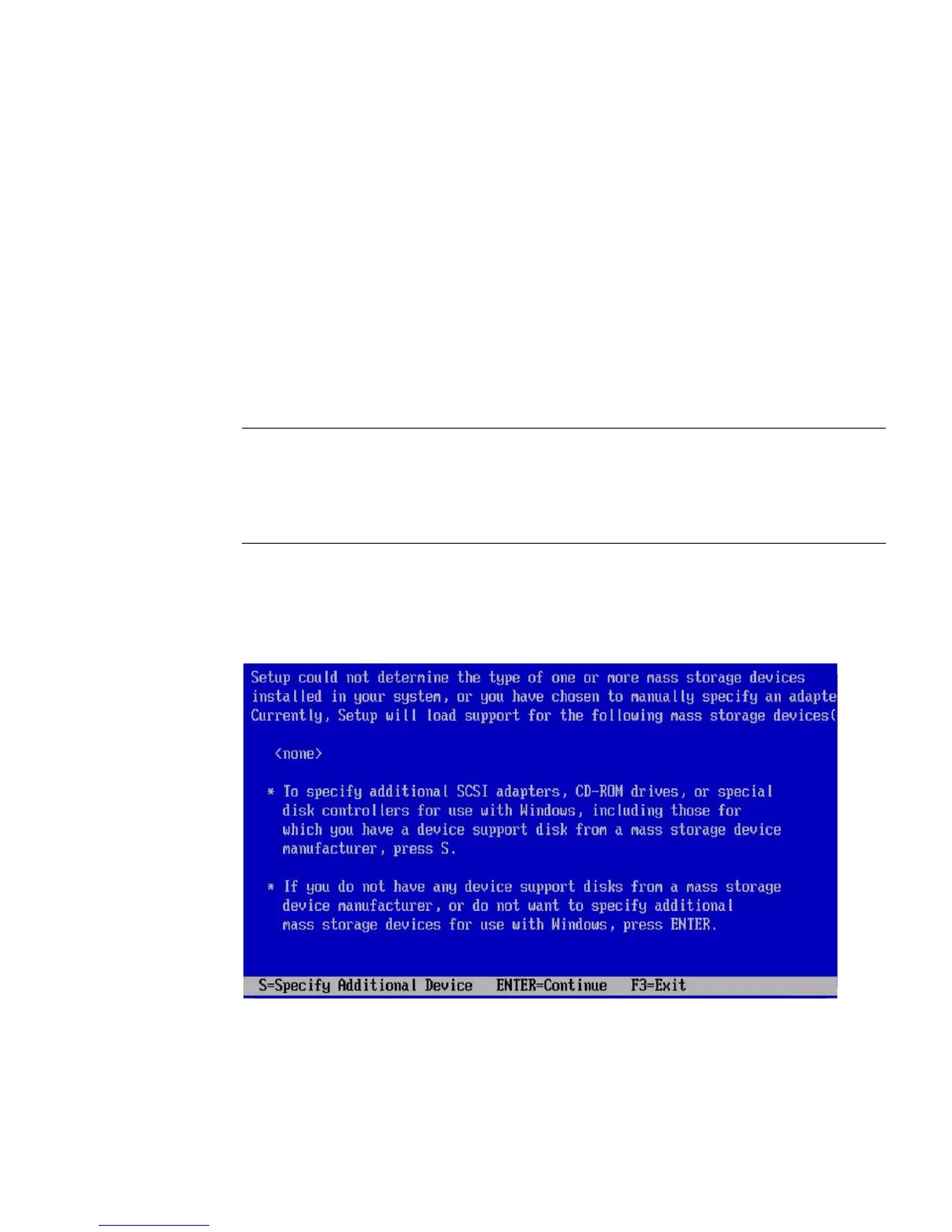
After pressing F6, a screen will appear providing you with the option to specify
additional mass storage devices.
FIGURE 6-4 Specify Additional Device Screen
8. Make sure that the mass storage drivers are accessible according to the mass
storage driver installation method that you have selected.














 To Next Page