38 Sun Fire X4150, X4250 and X4450 Servers Windows Operating System Installation Guide • January 2009
■ Floppy Disk Local: Mass storage drivers floppy disk in floppy drive A on the
server
■ Floppy Disk Remote: Mass storage drivers floppy disk in the JavaRConsole
server floppy drive
■ Floppy Image: floppy.img available on the JavaRConsole system
9. Press S to specify additional devices.
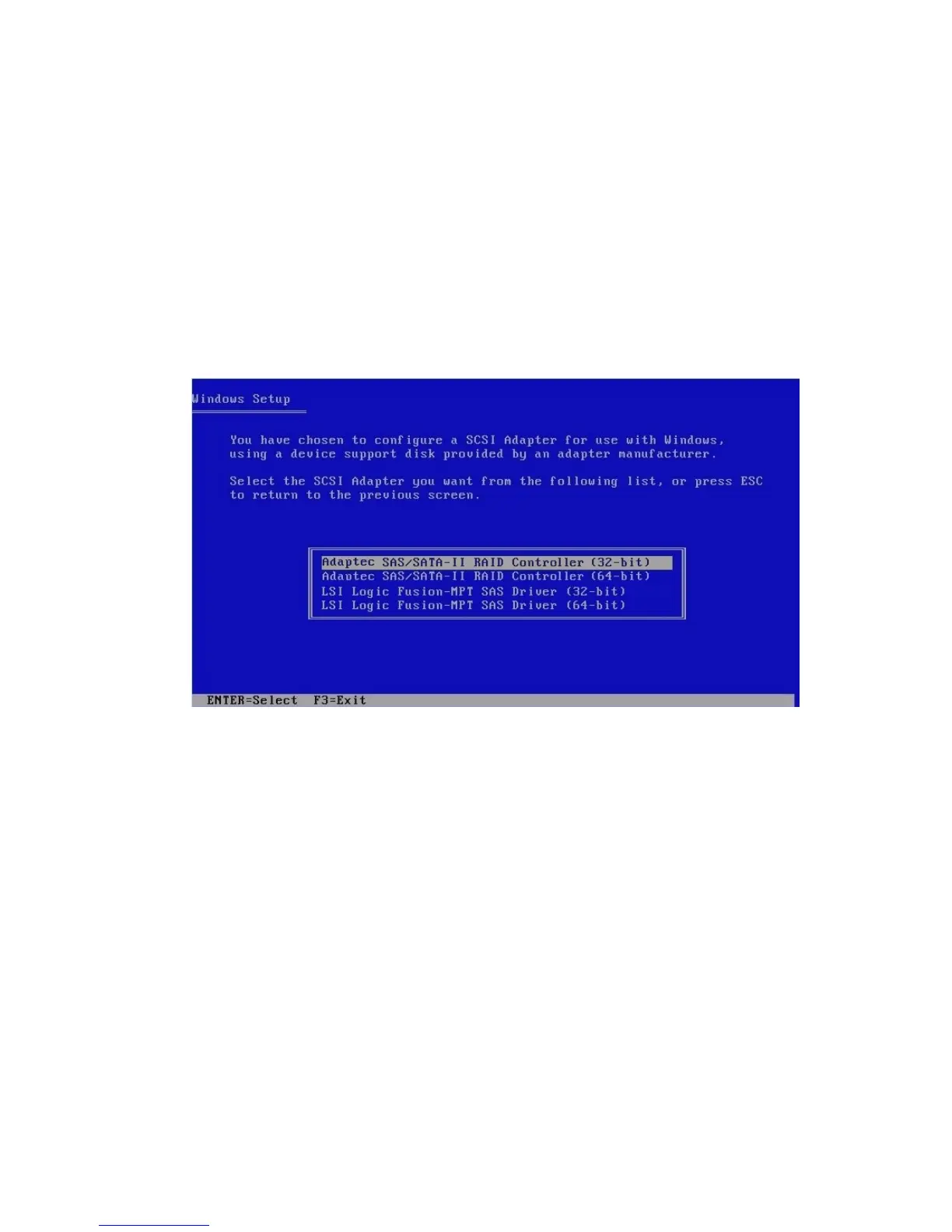
A screen appears listing the available drivers.
FIGURE 6-5 Select Adapter Screen Example
10. Select the appropriate mass storage controller driver version depending on the
version of Windows (32-bit or 64-bit) you are installing, and then press Enter:
■ For servers with an LSI-based integrated RAID controller, select:
LSI Logic Fusion - MPT SAS Driver (32-bit)
or
LSI Logic Fusion - MPT SAS Driver (64-bit)
■ For servers with an Adaptec-based integrated RAID controller, select:
Adaptec SAS/SATA-II RAID Controller (32-bit)
or
Adaptec SAS/SATA-II RAID Controller (64-bit)
Windows Setup will then display your selection.
11. Windows Setup lists the driver to be installed. Press Enter to continue.














 To Next Page