7 LCD Operation User Manual
48
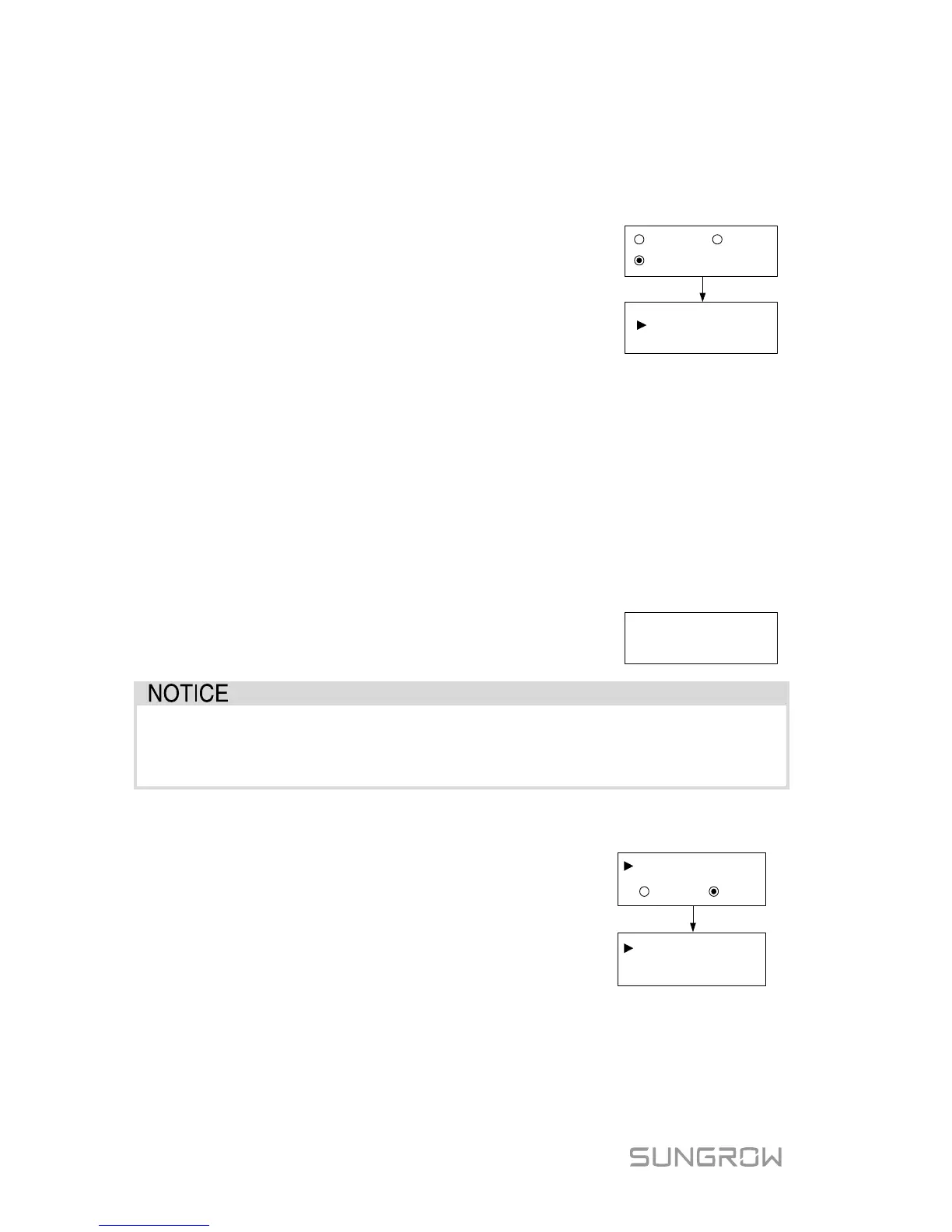
7.5.3 Zero-export Setting
Touch ENT / ESC to select and press ENT to confirm.
Touch ESC to change the value and touch ENT to move the cursor. Press
ENT to confirm the export power percentage.
OFF: all the power will be exported to the grid. (by
default)
ON: no power will be exported to the grid.
Partial: part of the export power will be exported to
the grid.
Total Export: the export power upper limit of the whole
ON
OFF
Total Export
: 1000W
Partial
(0W–5000
W)
The range of export power will automatically change:
When the existing inverter is disabled: 0 to (rated power of the inverter)
When the existing inverter is enabled:
The lower limit is the rated power of existing inverter.
The upper limit is ([rated power of the existing inverter] + rated power of
the inverter).
For example, retrofit an existing PV system (rated power: 2000 W) with SG5K-D
(rated power: 5000 W). The total export range will be 2000 W – 7000 W.
A prompt will appear when you set it for the second
time.
Set by solar
professionals only!
With the password 111, the zero-export setting can only be done at the
first time. The later modification can be performed by professionals only,
please contact SUNGROW.
7.5.4 Adding the Existing Inverter
Rated-P: rated power of the existing inverter.
This function is OFF by default.
inverter is set to ON, its rated power is the lower
limit for export power setting.
ON
OFF
Rated-P:
Existing Inverter
(
0W~30000W)
2000
W
7.5.5 PF Setting
The inverter is capable of operating with fixed power factor. The PF ranges from 0.8
leading (+) to 0.8 lagging (-).



 To Next Page