User Manual 5 Electrical Connection
37
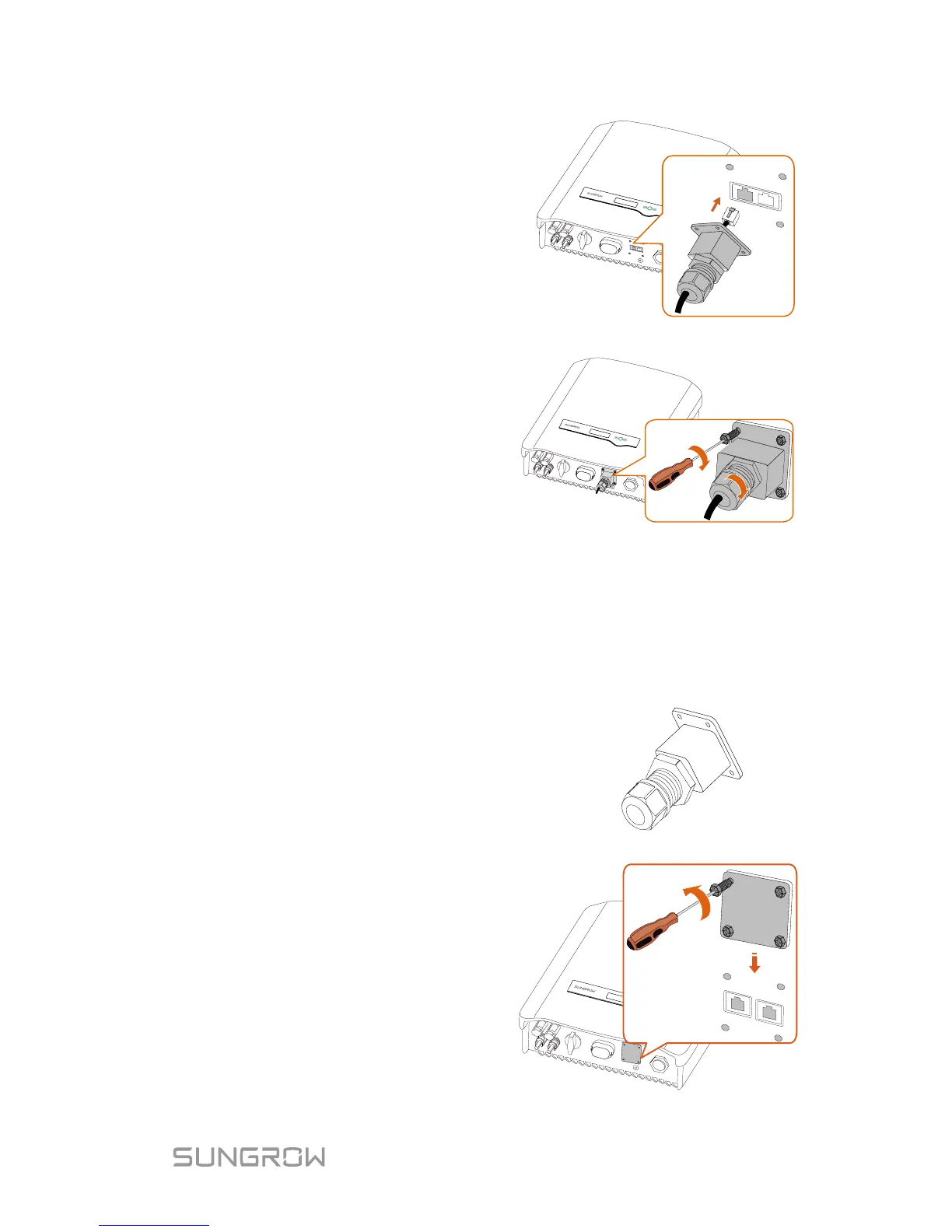
2. Insert the RJ45 plug into the
left (Meter) port until it
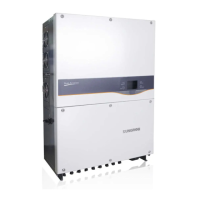
3. If no external demand
response enabling device
connected, secure the
waterproof lid to the inverter
bottom with four screws and
then fasten the cable gland.
5.7 DRM Connection to an External Device
The cable for connecting to the DRED is not included in the delivery.
Use a TIA/EIA 568B standard network cable with a diameter of 3 mm
–5.3 mm.
1. Take out the communication
connector from the
packaging, as shown on the
right.
2. Loosen the screws and
remove the waterproof lid
from the RS485|DRM
terminal.
Note:
Retain the screws for later
installation.



 To Next Page