7 LCD Operation User Manual
50
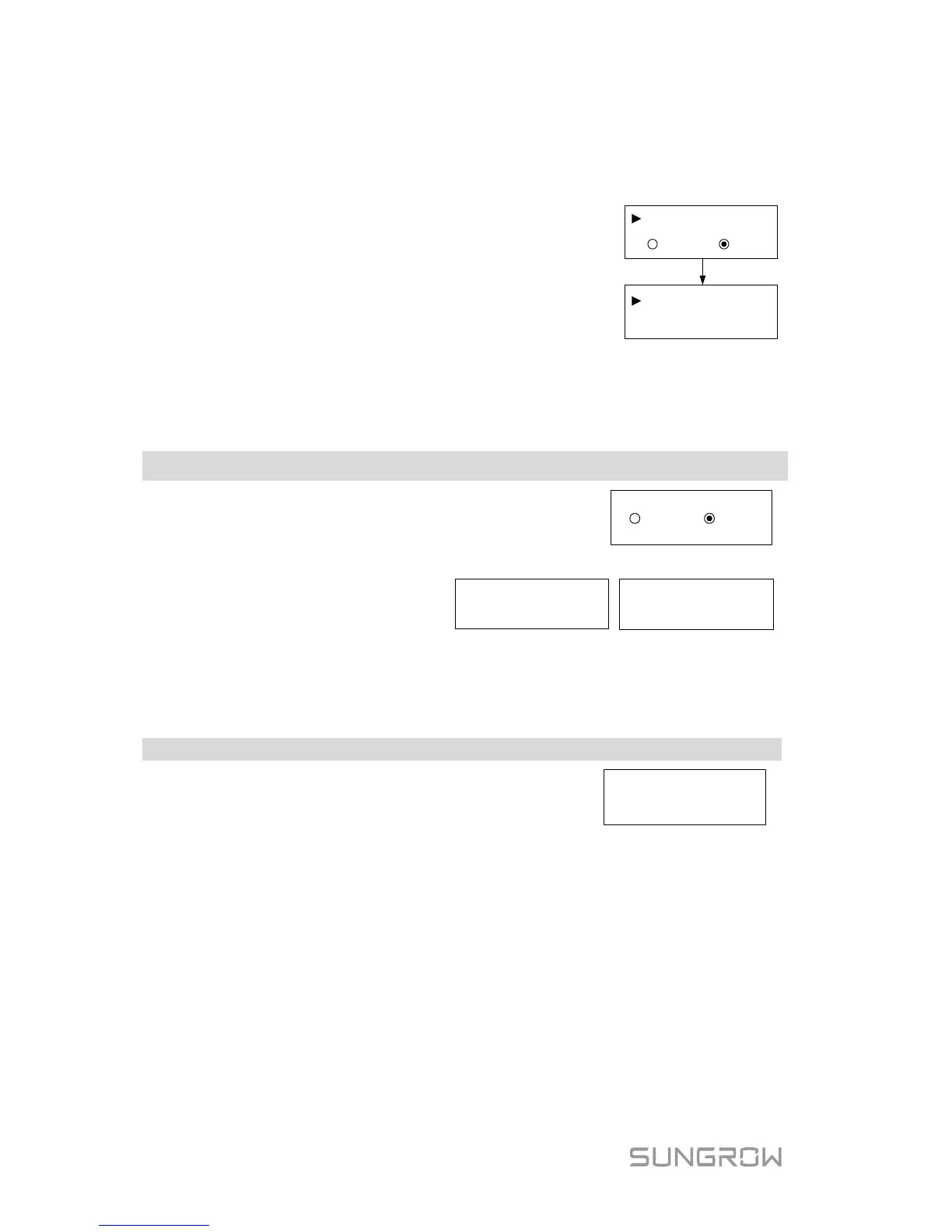
7.5.11 Ethernet Configuration
The Ethernet setting is reserved for later usage.
Touch ENT to select and press ENT to confirm.
OFF: The IP address should be assigned manually.
ON: Automatically assign IP address from the home
router.
Touch ESC to switch between the DHCP and the IP
interfaces.
ONOFF
IP:
DHCP:
192.
168.001
.100
7.6 Starting/Stopping the Inverter
Touch ENT / ESC to select and press ENT to
confirm.
Confirm your selection by pressing ENT.
Confirm turn on? Confirm turn off?
7.7 Viewing the Error Record
Scroll pages by touching ENT / ESC.
3 records can be displayed on each page and 20
records at most for all.
2 15/01
/21 09:10:08 004
1 15/01/21 09:10:12 010
3 15/01/21 09:11:08 005
P1/7
7.8 Setting the Time
The correct system time is very important. If there is deviation between the
system time and the local time, the inverter will not operate normally. The clock
is in 24-hour format.



 To Next Page