User Manual 7 LCD Operation
51
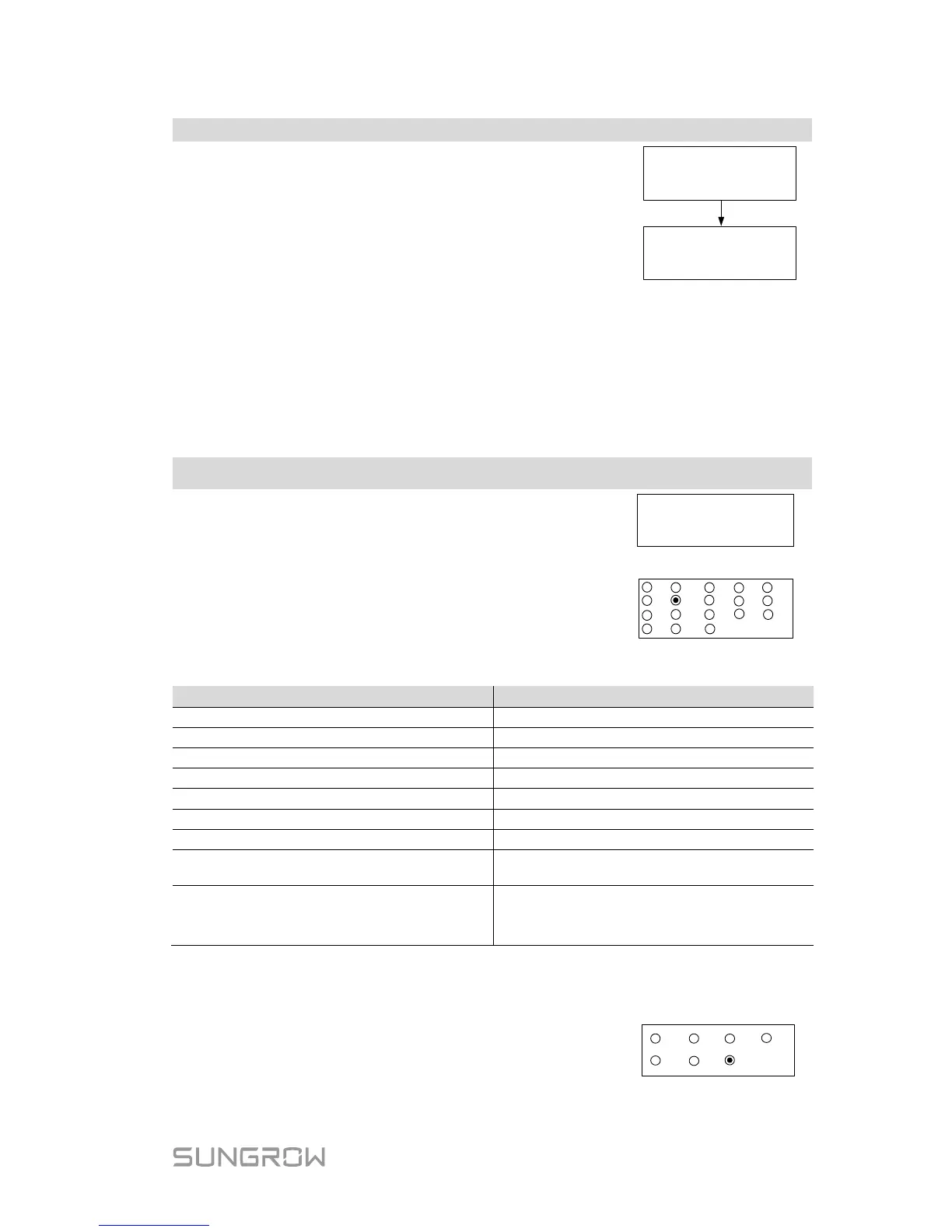
DD, MM, and YY stand for day, month, and year
respectively.
hh, mm, and ss stan
second respectively.
Scroll pages by pressing ENT.
Date: 05 / 01 / 17
Time: 10 : 30 : 05
DD / MM / YY
hh : mm : ss
7.9 Setting the Country
To make the protection parameters setting convenient, inverter provides built-in
protection parameters for certain countries. The country setting is protected
with a password.
Touch ESC to add the value and Touch ENT to move
the cursor. Input the password 111.
Touch ENT / ESC to choose the country and press
ENT to confirm.
If the country selected is not in the list, please choose
Other and then set the protection parameters manually.
GB
DE
FR
ES
BE
NL
AT
AU
CN
CZ
SE
KR
TH
LUX
Other
NZ
BRA
IT
Tab. 7-6 Country Code Description
CZ Czech English NL Netherlands English
BE Belgium English Other
English
* The country code “Other” represents 50 Hz grid and 60 Hz grid. The inverter
will automatically choose 50 Hz or 60 Hz according to the local grid frequency.
If the country code is set to “AU”, the grid company
setting will appear. Touch ENT / ESC to choose the
grid standard and press ENT to confirm.



 To Next Page